

What Happens When a Run Is Blocked
- The agent files a blocker issue on the milestone. It says what is blocked, the evidence, and the fixes it suggests.
- The run pauses. Its workspace is kept as it is, with all the work done so far.
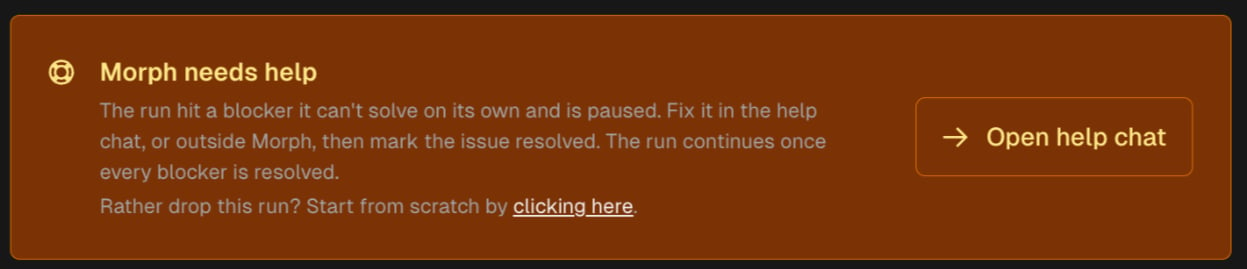
- The milestone shows Needs help, and its card shows the Morph needs help banner with Open help chat.
- The project owner gets an email and an in-app notification: Your milestone needs help.
The Help Chat
Click Open help chat on the banner, or Help chat on the milestone card. The help chat opens in the Code Review drawer:- On the left, the run’s blocker issues.
- On the right, the chat, with a short intro and suggestions that match the blocker, such as I have the secret, I’m on the VPN now, try again, or What exactly is blocked?
- At the top, when the run paused and the date it stops if the blocker isn’t resolved, plus the Lower validation level and Move to self-hosted buttons when they apply.
The help chat is free: it doesn’t use credits. The run costs the price you approved when you started the milestone.
Ways to Unblock the Run
Marking an issue resolved
Click Mark as resolved on the blocker’s card, in the help chat, or ask the chat to do it. Before you confirm, make sure the problem is fixed, or that the issue says how the run should go on without it. The run continues once every blocker it is waiting on is resolved. The help chat then shows Blockers are resolved! The run is about to continue… and returns you to the milestone. The help chat ends, and the run picks up in the same workspace with the issues’ final text.Lowering the validation level
Lower validation level opens the Validation Level drawer. While a run waits for help you can only lower the level. This changes the project’s level, so later milestones run at the lower level too. See Validation Level. After you save, mark the blocker resolved. The run continues at the lower level and runs only the checks that level asks for.Moving to self hosted
Some blockers only go away on a machine inside your own network, such as a private registry, a VPN-only service, or a license file. On a Modelcode Hosted project, Move to self-hosted opens the Build Environment drawer:- Push the work so far (checked by default) commits the waiting run’s work, uncommitted changes included, and pushes it to the milestone’s branch. Uncheck it to discard that work.
- Other running milestones are cancelled too, and their work since their last push is lost. The drawer names them.
- The drawer lists the open chats that will close.
Starting from scratch
If you would rather drop the run, use Start from scratch on the Morph needs help banner. Commits the run already made stay on the milestone’s branch. Changes it hadn’t committed are lost, its blocker issues are closed, and the milestone starts over from the beginning. For a paused review or rebase, Start from scratch is refused while another run is working on the milestone’s branch. The message says why, and the paused run stays paused. Try again once the other run finishes.While a Run Waits
- No other milestone can start in the project. Start buttons show “Milestone N is waiting for your help. Resolve it before starting another milestone.” Code review and chats on other milestones still work.
- The run waits up to 7 days. If its blockers aren’t resolved by then, the run stops, its open blocker issues are closed, the milestone fails, and the project owner is notified. Use Retry on the milestone to start it again.
- On Modelcode Hosted, an idle sandbox sleeps. After 6 hours with no activity in the help chat, the sandbox is stopped. Its files are kept. Opening the help chat wakes it (“Waking the sandbox…”), which takes a moment. Apps and services the run started must start again; the run does this when it continues.
- On a self-hosted daemon, the workspace stays on the machine. If the daemon is offline when the blockers are resolved, the run waits for it to reconnect and then continues.
When the Help Chat Isn’t Available
The help chat page can show the blocker issues without a chat:After the Run
The milestone’s Code Review lists the blocker issues in their own Execution Blockers group, with what was done for each. Blockers still open when a run ends or is cancelled are closed as ignored, with a note saying why.Related Docs
Milestones
Statuses, including Needs help and Stopped
Switching Environments
Move a hosted project to self hosted
Validation Level
What each level checks
Extra Paths
Let the agent use folders outside its workspace