

Why PRs Matter
The Pull Request is your safeguard. It ensures:- No blind merges — You see every line of generated code
- Normal workflow — Uses the same review process as any other PR
- Team involvement — Other reviewers can participate
- CI/CD validation — Your existing pipelines run against the changes
Opening a Milestone PR
- When a milestone is complete, the milestone card on the Roadmap will have an entrypoint to the Code Review drawer.
- The drawer will have a button that takes you to the individual pull requests
What to Review
Code Quality
- Does the generated code follow good practices?
- Are there any obvious bugs or issues?
- Is the code readable and maintainable?
Correctness
- Does the migration preserve the original functionality?
- Are edge cases handled?
- Do the transformations make sense?
Consistency
- Does the code match your team’s conventions?
- Are naming patterns consistent with existing code?
- Is the style what you expected?
Tests
- Were tests migrated or generated?
- Do they cover the key functionality?
- Do they pass?
Taking Action
If Everything Looks Good
You can merge from inside the Morph Platform, or from your Git provider — whichever fits your process. Merge from the Morph Platform- Open the Code Review drawer for the milestone
- Click Merge all PRs in the drawer header
- Confirm in the dialog, which lists every pull request that will be merged
- The milestone status updates to Merged and the next milestone unlocks
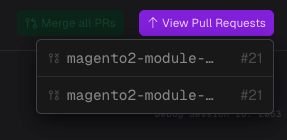
- Open the pull requests by clicking the PR links in the top-right corner of the Code Review drawer
- Approve each PR in your provider (GitHub, GitLab, Azure DevOps)
- Merge using your preferred strategy (merge commit, squash, rebase)
- Return to the Morph Platform — the milestone status updates to Merged
- The next milestone unlocks
Two cases where Merge all PRs is not available: the Final Code Delivery milestone, which must be merged from your provider’s pull request page; and any milestone whose branch has fallen behind the feature branch, which needs a rebase first. Reference-only repositories never produce pull requests and are skipped.
Every pull request for a milestone needs to be resolved — merged, or closed — before the next milestone can begin. While a PR is still open, the milestone stays in its current state and the next one will not unlock.
If You Find Issues
You have several options: Make Manual Fixes The PR is a standard Pull Request. You can:- Push additional commits to fix issues
- Edit files directly
- Clone locally and push changes
- Raise the issues in Code Review chat and ask the agent to fix them on the milestone branch
- Comment on the pull request and PR Agent answers or pushes a fix to the PR branch
- For larger changes, create an ad hoc milestone so the work gets its own plan, validation, and review
If Checks Fail
CI/CD checks run on PRs automatically. If they fail:- Click into the failed check
- Review the failure reason
- Common causes:
- Linting violations (may need style adjustments)
- Test failures (tests may need updates for new code)
- Build errors (configuration may need tweaks)
- Fix the issues and push updates
- Merge once checks pass
PR States in the Morph Platform
The milestone status reflects the PR state:
The Morph Platform automatically detects when you merge, updating the milestone status.
Best Practices
Review Promptly
Don’t let PRs sit. The next milestone is blocked until you merge. Review and merge (or address issues) to keep momentum.Use Your Normal Process
Treat milestone PRs like any other PR:- Add reviewers if your team normally does
- Require approval if that’s your policy
- Run additional manual tests if needed
Check Related Changes
When reviewing, consider:- Do changes in this milestone connect properly to previous milestones?
- Are there any inconsistencies with already-merged code?
Document Decisions
If you make manual changes to a PR before merging, consider noting why. This helps if similar issues come up in later milestones.After Merging
Once merged:- The milestone shows Merged status
- Any milestones that depended on this one are unlocked
- Sibling milestones that are still in progress may be flagged as Rebase Required if they share code dependencies with the just-merged milestone
- Repeat the process: Review → Generate → Execute → Review PR → Merge
Rebase Required After a Sibling Merge
When you merge a milestone PR while other milestone branches are in progress, those branches may drift from the updated feature branch. The Morph Platform detects this and marks affected milestones as Rebase Required. To resolve:- Open the affected milestone on the Roadmap
- Click the Rebase action on the milestone card
- The agent incorporates the upstream changes into the milestone branch
- Once the rebase completes, review the updated PR as normal and merge
Troubleshooting
”PR was closed without merging”
If you accidentally close a PR:- Reopen it, or
- In the Morph Platform, retry the milestone to generate a new PR
”Merge conflicts”
Conflicts can occur if:- You made manual changes to the repository
- Another branch was merged between milestones
”PR stuck in pending state”
If the Morph Platform doesn’t detect your merge:- Refresh the Morph Platform page
- Check that the PR is actually merged
- Wait a moment—status updates poll periodically
- Contact support if the issue persists