

Table of Contents
- tl;dr
- Core Concepts
- Project
- Repositories and Roles
- Build Environment
- Project Spec
- Milestone
- Task
- Rules
- Functional Testing
- Project Knowledge
- Wiki
- Daemon Pool
- Collaboration
- Upstream Sync
- Visual Diagrams
- Glossary
tl;dr
Morph turns your migration into a step-by-step pipeline:- Create a Project (pick your repo(s) and assign roles)
- Choose a Build Environment (cloud or self-hosted)
- Define your Project Spec (what should change & how)
- Review and approve the Project Spec
- Pick a Validation Level, then — at High — complete Project Setup in chat: lifecycle scripts, env vars, and an end-to-end validation
- Generate a Roadmap of Milestones
- Execute each Milestone. During execution, Morph dynamically generates Tasks so progress is transparent and each deliverable is verifiable.
- Once milestone tasks are completed and verified, Morph produces a production-ready PR for that milestone.
Core Concepts
Project
A Project is the top-level container for a modernization effort. It defines:- Which repositories are in scope and their roles in the migration
- Which branch strategy to use for generated code (feature branch)
- The operational boundary for the Project Spec, milestones, and rules
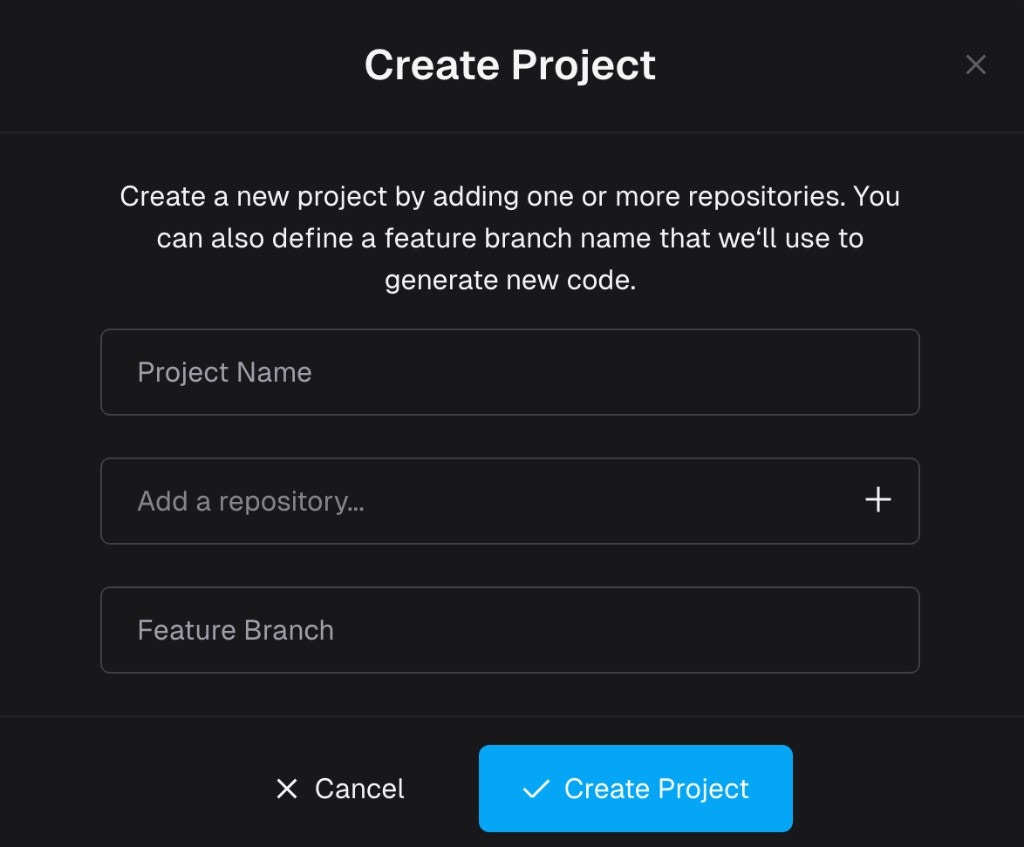
Morph Project creation
- Modernizing a legacy Flask-based application to FastAPI
- Rewrite C++ CLI using Rust
- Java application version upgrade
- Migrating a backend and its shared library together
Repositories and Roles
A project can contain one or more repositories. Each repository has a defined role in the migration:
When creating a project, you select repositories and set an origin branch for each. The project also has a shared feature branch (prefixed with
morph-) where generated code is committed.
The Project Overview — part of the Project Spec flow — captures the full picture: which repos you start with, which repos you end with, and each repo’s modernization role.
Build Environment
The Build Environment defines how your project builds, runs, and tests. This is configured during onboarding and is required before Morph can validate and execute migrations. There are two options:- Cloud — Morph provides a cloud-based build environment for projects with publicly accessible dependencies
- Self-hosted Daemon — A lightweight binary you run on your own infrastructure, necessary when your project depends on private registries, internal APIs, or on-premise services
Lifecycle Setup
Each project has a Lifecycle Setup — the configuration that tells Morph how to actually run your application:- Scripts — Ordered shell scripts that install dependencies, build, run, health check, and test the application
- Environment variables — Variables your application needs at build or runtime, with optional encryption for secrets
- Lifecycle document — A markdown overview describing the application architecture and how scripts fit together
- Validation — An end-to-end run that executes each script in sequence to confirm everything works
Lifecycle Setup
How the lifecycle is set up in chat, reviewed, and validated
Project Spec
The Project Spec is the source-of-truth document for what “done” means. It captures migration requirements before implementation begins. You review and approve it in the Project Knowledge drawer on the Roadmap (under Modernization → Project Knowledge): select Project Spec in the tree and use Knowledge chat. The drawer opens automatically the first time the spec is ready.Reviewing the Project Spec
Walkthrough: refine with chat, Auto-review, and approve
- Target stack
- High-level migration plan
- Key design decisions
- Project overview (repos at start, repos at end, and their roles)
- Testing strategy
Project Spec in Project Knowledge
Milestone
A Milestone is a coherent, reviewable chunk of migration work. Milestones are organized in a dependency graph — independent milestones can execute in parallel, while dependent milestones wait until their prerequisites are merged.- Functionally meaningful (not arbitrary file splits)
- Small enough to review safely
- Dependency-aware: independent milestones run in parallel for faster delivery; dependent milestones stay locked until prerequisites merge
Milestones & Tasks
The milestone lifecycle, dependencies, parallel execution, and rebase
Task
A Task is the smallest executable unit inside a milestone. Tasks translate milestone intent into specific implementation actions. Tasks usually map to one of:- File/module creation or migration
- Endpoint or data-model implementation
- Test implementation
- Refactor/fix work
Rules
Rules are custom instructions that apply across all milestones. They encode your team’s coding standards, library preferences, and patterns so that Morph follows them consistently throughout the migration. Rules can be added, edited, or removed at any point during the migration.Functional Testing
Functional Testing verifies that migrated code behaves identically to the original by comparing real outputs side by side. Morph automatically generates, runs, and validates these tests as part of the milestone lifecycle — no manual test authoring required. Functional testing supports multi-repo projects and covers three types of applications:- API testing — Compares HTTP responses (status codes, response bodies) between origin and target for each endpoint
- CLI testing — Compares exit codes and stdout/stderr output between origin and target for each command
- UI testing — Captures screenshots and video recordings of the target application’s frontend, with optional side-by-side comparison against the origin
Validation Hub
How functional tests are generated, verified, and reported
Project Knowledge
Project Knowledge is the in-app drawer on the Roadmap where structured context lives together: Project Spec, milestones, wikis, and rules, plus Knowledge chat. Agents read this context during work and write updates back (often as new or revised wiki pages). Approving the Project Spec is one important use of this drawer; everything else you can do there — imports, rules, diffs, milestone text — is covered in Project Knowledge. Project Knowledge serves two purposes:- Agent-to-agent knowledge transfer — When one agent discovers a pattern or makes an architectural decision, it writes that knowledge back. Later agents read it and stay consistent.
- User-to-agent guidance — You can add documentation, coding standards, or design decisions at any time. The content you provide is broken down into structured wiki pages and rules that agents can consume efficiently.