

The Milestone Lifecycle
Each milestone moves through these phases:- Review the Milestone Spec in Project Knowledge.
- Approve & Start — from Project Knowledge, approve the spec and start the agent.
- Automated Review & Tests — milestone review, functional testing, and acceptance criteria run automatically and surface in dedicated tabs.
- Triage the Review and Merge the Milestone — open Code Review to triage issues with chat, then jump to the pull request(s) and merge.
- Milestone Learning — after merge, the Morph Platform learns from the PR review and your edits and updates project wikis and rules so future milestones avoid the same issues.
Step 1: Review the Milestone Spec
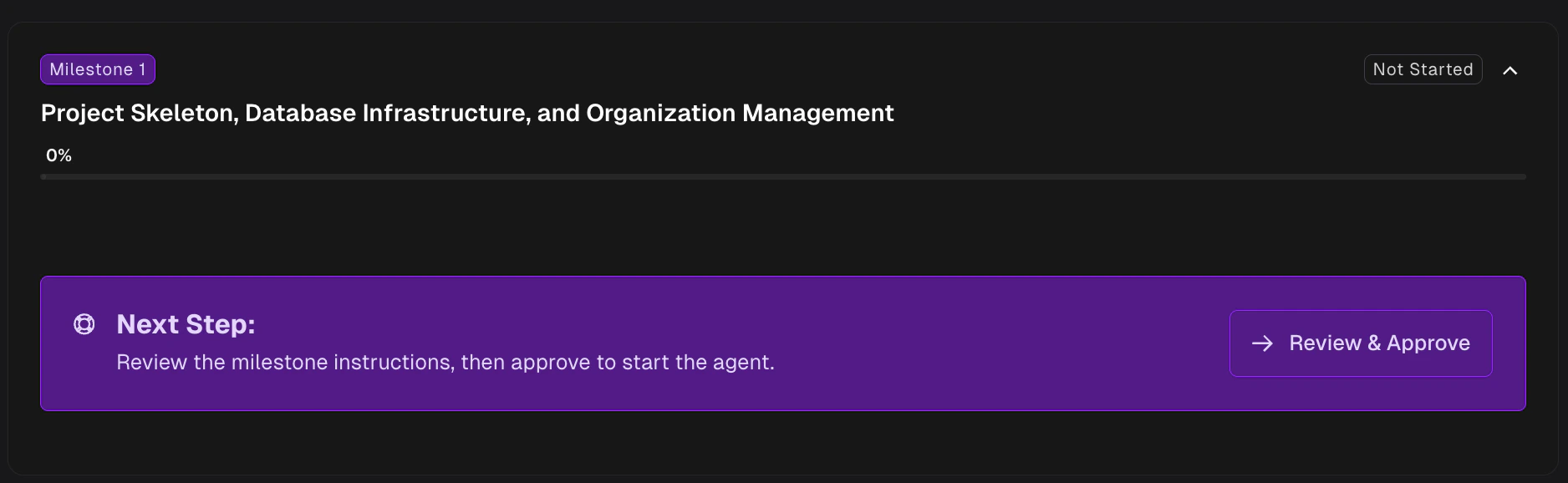
Before any code is generated, understand what the milestone will accomplish. Click a milestone on the Roadmap to expand it.- If the milestone is ready to start, the Next Step alert offers Review & Approve — this opens Project Knowledge with the milestone spec selected.
- At any time, use the Milestone Spec button on the milestone action row to open the same view.
- If prerequisites are not met yet, the alert shows View instead — you can read the plan, but approval waits until earlier milestones merge.
- Read the full Milestone Spec — scope, relevant files, design decisions, and risks the agent will follow.
- Refine via Knowledge chat — ask the Morph Platform to clarify, expand, or adjust the spec. The agent updates the Milestone Spec in place.
- Approve — when you’re satisfied, approve the milestone in the drawer to unlock Approve & Start.
Validate following milestones to make sure your edits don’t break later milestones — see Editing Milestones. For the drawer itself, see Project Knowledge.
Editing Milestones
How to adjust the Milestone Spec before approving
Project Knowledge
The drawer where milestone specs, rules, and wikis live
Step 2: Approve and Start
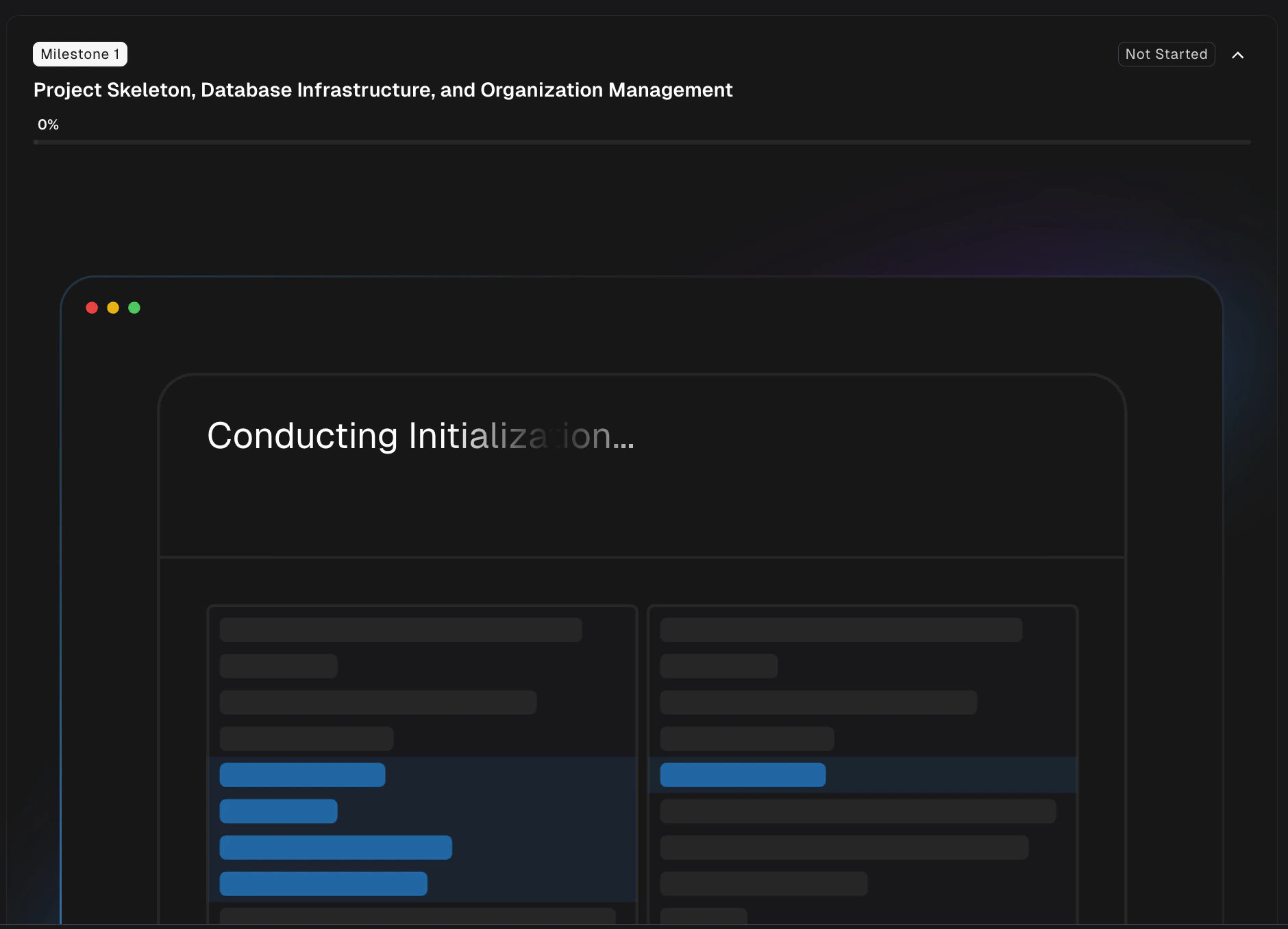
Approval and start happen in Project Knowledge, not on the Roadmap card itself. After you review the spec, click Approve & Start in the drawer toolbar. Before the milestone runs, a Start this milestone? dialog shows what the work will cost in dollars and credits, and whether it stays inside your monthly allotment. Nothing starts until you approve it. See Billing and Credits for what the figures mean. Once approved, the Morph Platform prepares a sandbox and the agent begins working autonomously: it plans tasks, works through them one by one, and commits code after each task.To run a slow or flaky milestone faster, open the caret beside Approve & Start and choose Start With Low Validation — it implements and reviews this one milestone at the Low validation level regardless of the project’s setting. Run an ad-hoc validation after the PR merges to check the work at the project’s level.
To run a slow or flaky milestone faster, open the caret beside Approve & Start and choose Start With Low Validation — it implements and reviews this one milestone at the Low validation level regardless of the project’s setting. Run an ad-hoc validation after the PR merges to check the work at the project’s level.
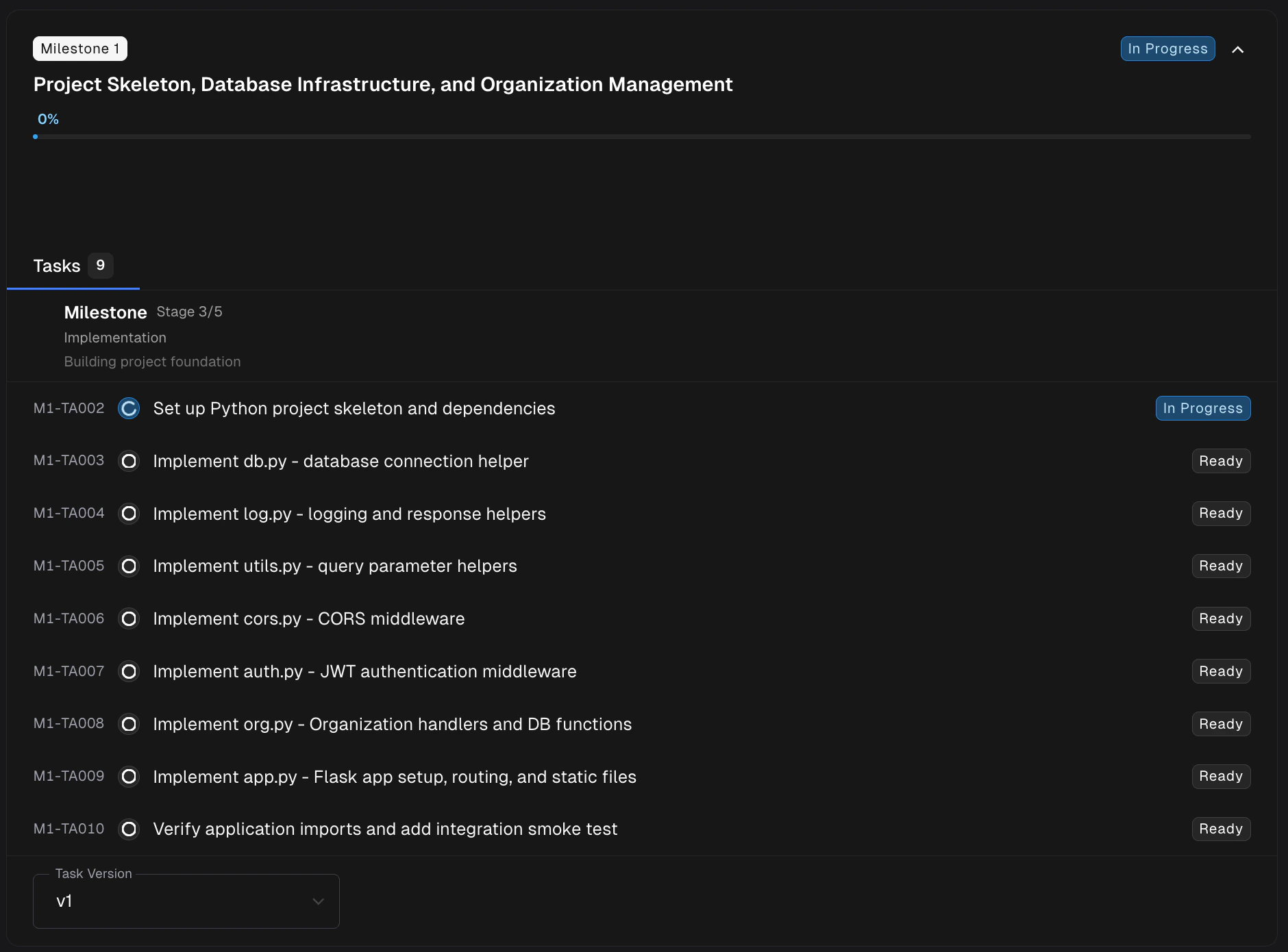
M1-T001), title, and status badge.
Step 3: Automated Review & Tests
After the agent finishes implementation, the Morph Platform runs automated validation before the milestone is ready to merge. What runs depends on your project’s validation level — a project-wide setting that controls whether Morph actually runs your application on the source side, the target side, both, or neither:
At Low, there is no functional testing or acceptance criteria — the Acceptance Criteria tab stays empty, and the Tests tab appears only after lifecycle commands (build and unit tests) have run. At Medium, validation exercises only the migrated app. At High, the Morph Platform compares target behavior against what it observed on the source app, so regressions surface side by side.
The Review tab runs at every level — it inspects the agent’s code changes regardless of whether the app is exercised at runtime.
Results surface as dedicated tabs on the expanded milestone card:
The Review tab
The Review tab tracks the milestone’s automated review tasks — the pipeline that inspects the agent’s output and raises issues against the migrated code. Once review tasks finish, the milestone exposes a Code Review button on its action row that opens the dedicated Review drawer (see Step 4). Failed functional tests also raise issues here automatically, linked back to the failing test for easy back-and-forth.The Tests tab
The Tests tab appears when your validation level includes functional testing — Medium (target-only) or High (source baseline + target comparison) — or when lifecycle commands have run during milestone validation (for example install, build, run, or test scripts). It shows passed/total counts for backend (API/CLI) and frontend (visual) functional test runs where available, with origin-comparison indicators on High. From here you can jump into the full breakdown:Validation Hub
Verify behavior with auto-generated tests; the Tests tab is your milestone-scoped entry point
The Acceptance Criteria tab
The Acceptance Criteria tab appears when your validation level includes acceptance-criteria checks — Medium (target-only thresholds you author) or High (source baselines captured and compared on the target). It shows pass/fail status for built-in checks (build succeeds, tests pass) plus any custom criteria defined in Project Knowledge.Step 4: Triage the Review and Merge the Milestone
Once the automated review finishes and the pull request(s) are generated, the milestone moves to Pending Code Review (the UI label for all pending-review states, whether every task succeeded or some failed):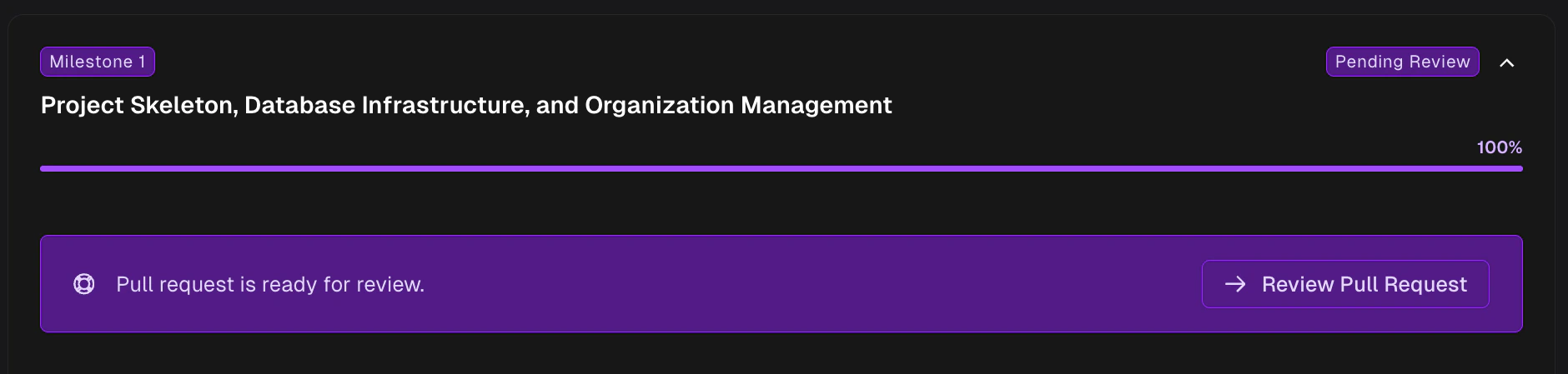
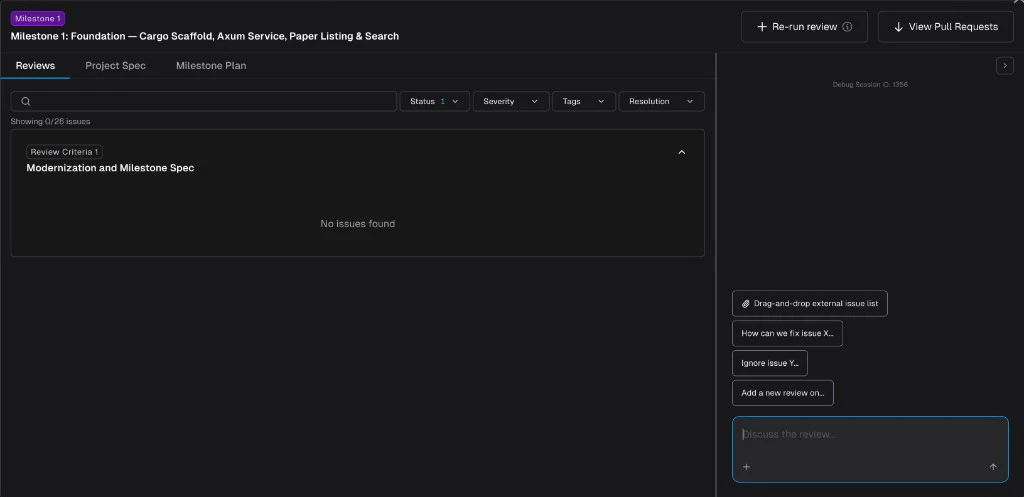
- Browse review issues across every repository in the milestone, filtered by status and assignee.
- Chat with the Morph Platform to resolve issues, create new ones, add review criteria, or re-run the review against your latest changes.
- Inspect the Milestone Spec and Project Spec in side tabs without leaving the page.
Code Review Chat
Full walkthrough: filters, chat actions, importing external issues, and re-running the review
- Click View Pull Requests in the Code Review drawer header. A popover lists every PR in the milestone, each linking out to your SCM provider if you want to review or merge there.
- Open each PR and review the code as you would any PR — leave comments, request changes, or push fixups.
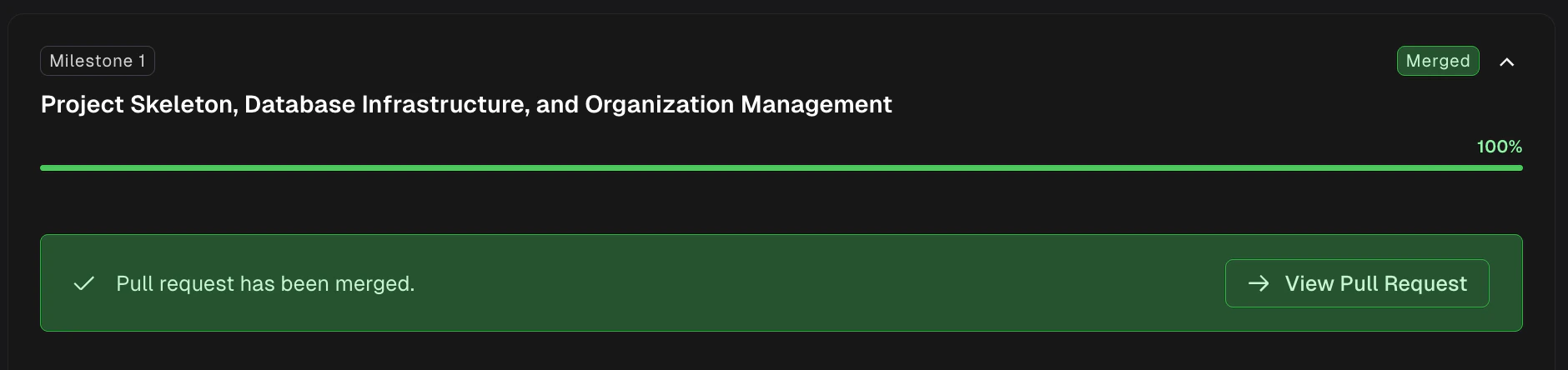
- When you’re satisfied, click Merge all PRs in the Code Review drawer header to merge every open PR for the milestone in one step, without leaving the Morph Platform. (Final Code Delivery is the exception — that PR must be merged on your SCM provider.)
When a milestone PR is merged while sibling milestones are still in progress, the Morph Platform automatically detects whether those sibling branches need to incorporate the newly merged code. If so, the affected milestones are flagged with a Rebase required alert — see Rebase Required below.
Reviewing Pull Requests
Best practices for reviewing migration PRs
Every milestone re-checks the ones before it
From the second milestone onward, the Morph Platform also runs the functional tests accumulated from all previous milestones as a regression suite, after the current milestone’s own tests. This is what keeps a long migration honest: work that lands in milestone 8 cannot quietly break behavior proven in milestone 2 without you hearing about it. Regression results appear alongside the milestone’s own results in the Validation Hub. A regression failure does not block the current milestone — it is surfaced for you to judge, since the right fix may belong in either milestone.Step 5: Milestone Learning
Merging the PR is the signal that the final state of the milestone is what you wanted — including every change you applied on top of the agent’s output (review comments accepted, fixups you pushed, criteria you added, manual edits). The Morph Platform treats that signal as a teaching moment. As soon as a milestone PR is merged, a background Milestone Learning task runs automatically. An agent opens a sandbox with full access to the merged PR (review comments, inline feedback, the final diff, your follow-up commits) and looks for patterns worth keeping — corrections, conventions, architectural constraints, or anti-patterns that future milestones should respect. Anything it finds gets written back to your project as updates to:- Wikis — when the PR reveals new context about the codebase or how a subsystem actually works.
- Rules — when the PR enforces a convention, constraint, or fix-up pattern that should apply to future work (new rules start as Draft until you publish them).
Project Knowledge
Where learned rules and wiki updates live
Rules
Conventions and constraints applied to every future milestone
The Foundation Milestone
Milestone 1 (the foundation milestone) includes an extra automated step before migration code lands: target lifecycle discovery. The Morph Platform analyzes the target repo to determine how it should be installed, built, run, and tested. The discovered configuration is saved under Target in Project Setup for you to review and edit. When and how origin lifecycle is set up depends on your validation level:
If discovery cannot get the target application healthy automatically, the configuration is saved as Draft — Needs Review and a warning appears so you can fix it before proceeding.
Milestone Statuses
As a milestone moves through its lifecycle, its status badge updates on the Roadmap. Here’s what each one means in the UI:
Additional UI states you may see:
A milestone reaches Pending Code Review whether or not every task succeeded. If some tasks failed, you’ll see alerts on the milestone card and in the Tasks tab — so check there before assuming a clean run.
Tasks
You don’t need to interact with individual tasks — they execute automatically as part of the milestone. This section is here for when you want to follow along in detail.Task Statuses
Task Dependencies
Tasks can depend on other tasks. For example, “Implement authentication middleware” might need “Create project scaffolding” to finish first. The Morph Platform handles execution order automatically:- A task stays in Ready until all of its dependencies have completed.
- Once a dependency finishes, tasks waiting on it become eligible to run.
- If a dependency fails, all tasks waiting on it are skipped. This prevents the agent from building on top of work that didn’t succeed.
- Tasks with no dependencies can run in parallel (within the milestone’s execution batch).
- If dependencies form a loop (Task A needs Task B, which needs Task A), the Morph Platform catches this and stops with an error.
Milestone Dependencies and Parallel Execution
Milestones can declare dependencies on other milestones. A milestone that depends on another will not unlock until the prerequisite is merged. When milestones are independent — no shared file or logical dependencies — they can execute in parallel.How it works
- The Morph Platform analyzes file dependencies and logical ordering when generating the roadmap, and sets up a dependency graph automatically.
- Independent milestones (no shared dependencies) can be approved, started, and reviewed simultaneously — each runs in its own isolated branch.
- Dependent milestones stay Not Started with a Blocked badge and Blocked by chips until all listed prerequisites are merged.
- When a milestone is merged, any milestones that were waiting on it are automatically unlocked and become ready to start.
- On self-hosted deployments, parallel execution is bounded by your pool’s capacity — starting another milestone is refused while every machine in the pool is occupied, and you can start it once one frees up.
Milestone states related to dependencies
Rebase Required
When you have multiple milestones in progress and one of them merges, the remaining in-progress milestones may need to incorporate the newly merged code. The Morph Platform detects this automatically and shows a Rebase required alert on milestones that already have pull requests. To resolve it, click Rebase on the milestone card. The agent incorporates the upstream changes into the milestone branch so that the PR stays mergeable — you do not need to resolve conflicts manually.Tips
- Review before approving. It’s much cheaper to fix the plan in the Milestone Spec than to fix generated code. Use Knowledge chat to refine if anything looks off.
- Use the Review tab before the PR. The automated review surfaces issues before you spend time in your SCM provider. Triage them in Code Review, then read the diff in the PR.
- Don’t rush merges. Review carefully. It’s easier to catch issues now than after several milestones have built on top.
- Let Milestone Learning do the bookkeeping. Corrections, fixups, and accepted review comments on a merged PR are automatically distilled into wiki and rule updates — you don’t need to write rules by hand for every recurring issue. For conventions you want enforced now (before the next merge), you can still add a Rule manually.
- Work independent milestones in parallel. If two milestones have no dependency relationship, you can approve and start both. This shortens overall delivery time without sacrificing review quality (subject to pool capacity on self-hosted).
- Watch for “Rebase required.” When a sibling milestone merges and your in-progress milestone shares dependencies, the Morph Platform may flag it as needing a rebase. Trigger the rebase from the milestone card — the agent incorporates the upstream changes so your PR stays mergeable. After a rebase completes, open Code Review on that milestone and check the Rebase Report tab for a dedicated summary of what was incorporated.
Related Docs
Roadmap
High-level view of your migration
Adhoc Milestones
Add new work as a full milestone
Code Review Chat
Triage milestone review issues with chat
Validation Hub
Verify behavior with auto-generated tests
Reviewing Pull Requests
Best practices for PR review
Editing Milestones
Adjust plans before approving
Validation Level
Choose whether Morph runs the source app, target app, both, or neither
Troubleshooting
Common issues and how to fix them