

Assigning Review Issues
When a milestone completes its automated code review, surfaces review issues - bugs, warnings, and improvement suggestions found in the code. You can assign these issues to specific team members so everyone knows who is responsible for triaging each finding.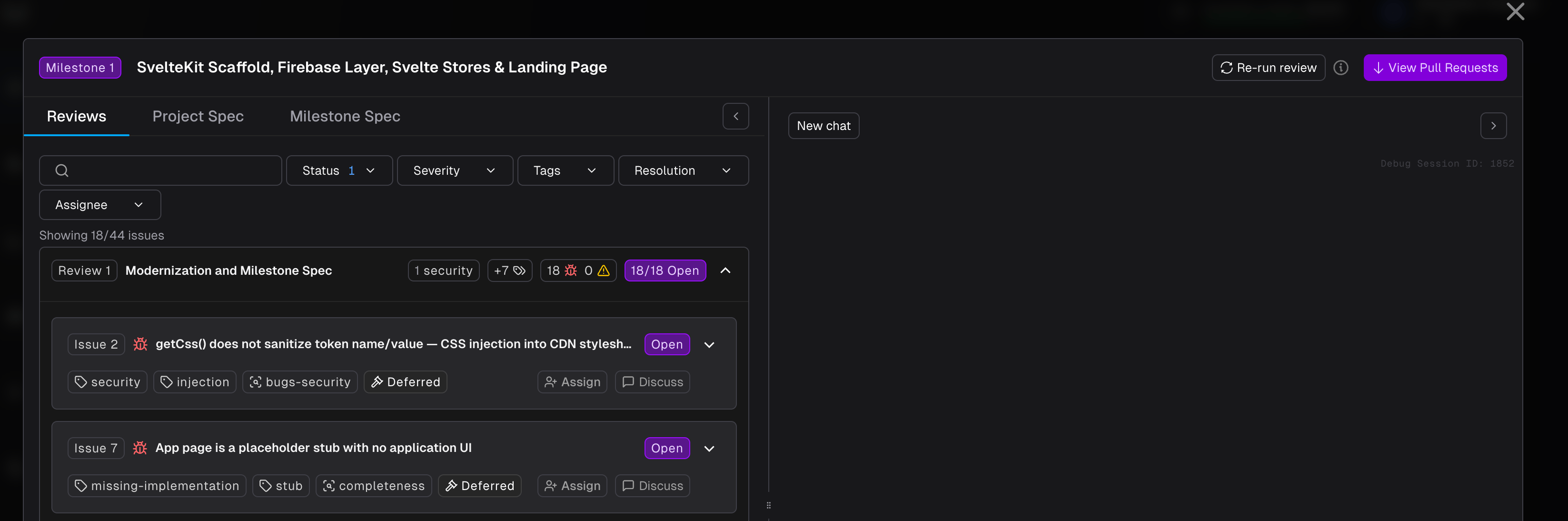
How to Assign
- Open the Code Review drawer for a completed milestone.
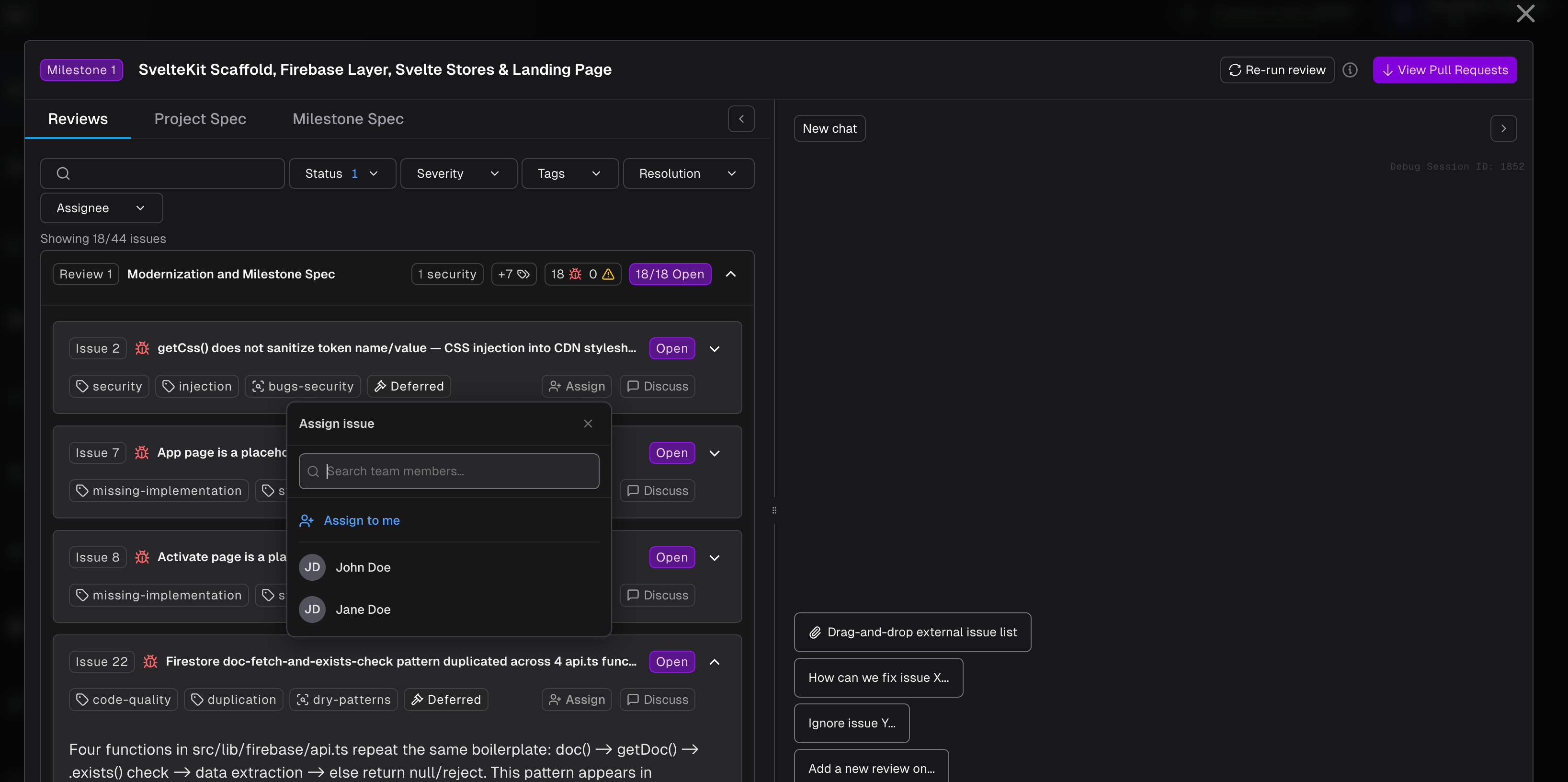
- On any open issue card, click Assign in the bottom-right corner.
- A dropdown appears with your team members. Click Assign to me to take it yourself, or select another team member.
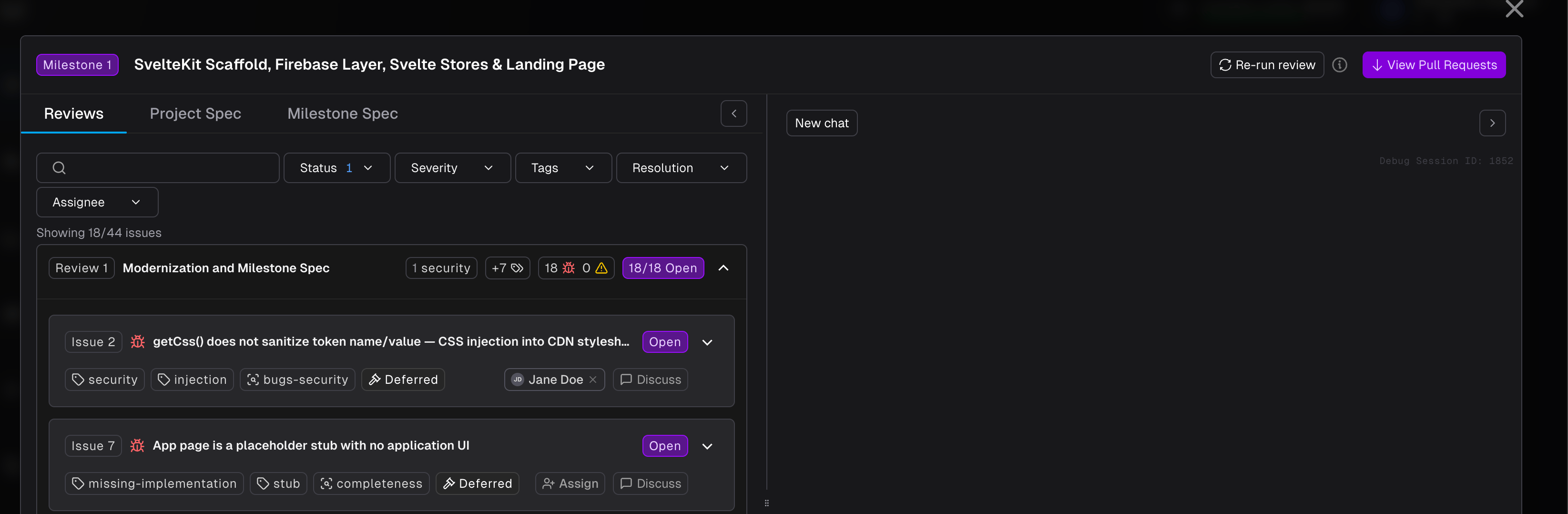
- The assignee’s name appears on the issue card immediately.
Email Notifications
When you assign an issue to another team member, they receive an email notification with:- The issue title and type
- The project and milestone it belongs to
- A direct link to the review drawer
Filtering by Assignee
The Code Review toolbar includes an Assignee filter. Select one or more team members to narrow the issue list to only their assigned issues - useful when a team is dividing review work across members.My Reviews
My Reviews gives you a single view of every review issue assigned to you across all projects. Access it from the sidebar.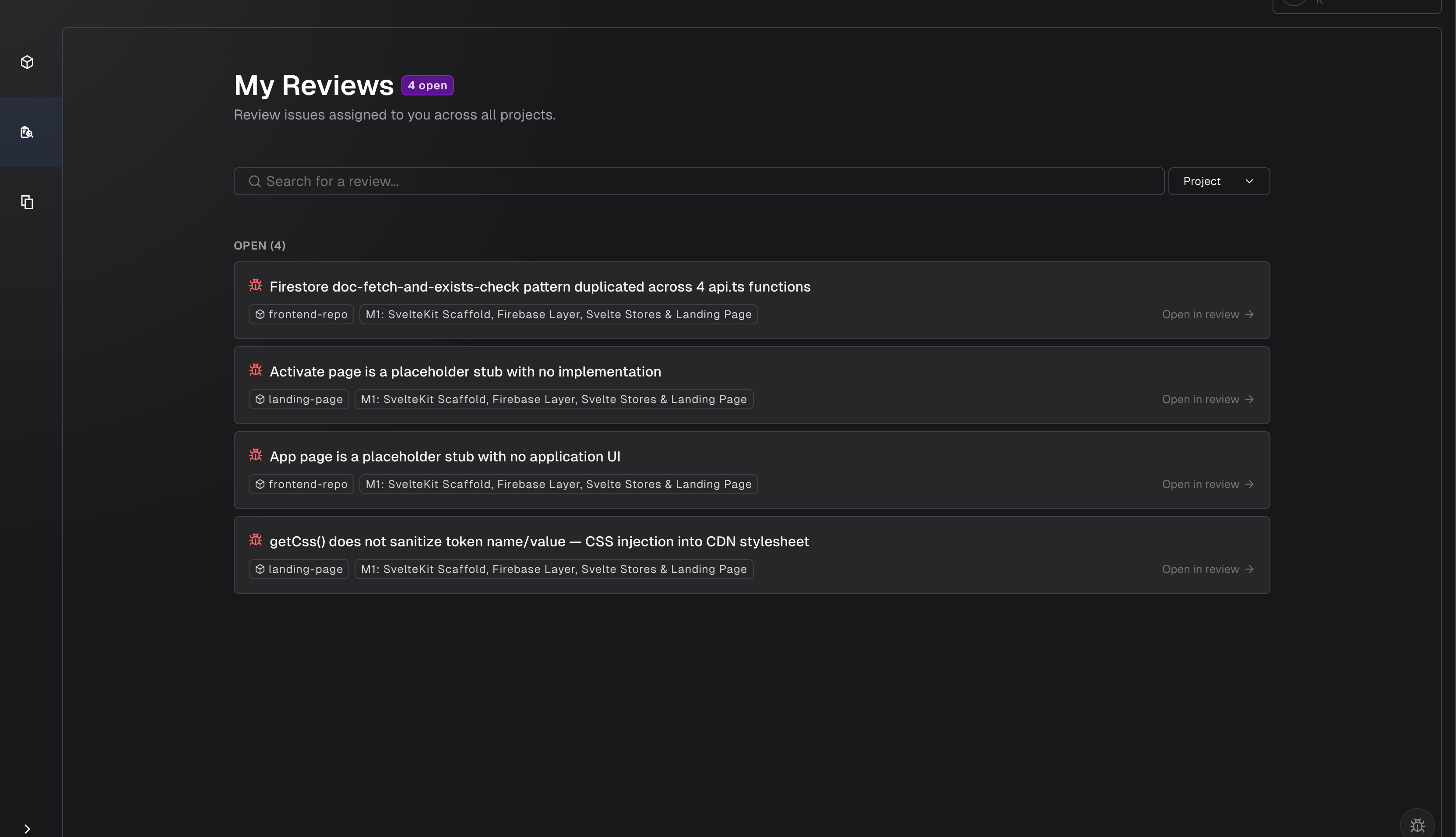
What You See
- Open issues appear at the top, grouped under an “Open” heading with a count.
- Resolved issues appear below in a “Resolved” section, dimmed to indicate they are complete.
- Each card shows the issue title, the project name, and the milestone it belongs to.
- Sized issues carry a T-shirt-size badge (XS–XL) showing the estimated effort to address them.