

Now in beta. The Claude Code integration is rolling out to a select group of customers. Want early access? Reach out to support@modelcode.ai and we’ll get you set up.
Install the plugin
You need Claude Code 2.1.186 or later. Check your version withclaude --version, and update with claude update.
1
Add the plugin's marketplace
In Claude Code, run:
2
Install the plugin
https://morph.modelcode.ai unless Modelcode gave you another address.3
Load it
Run
/reload-plugins, or restart Claude Code./reload-plugins in a session that’s already open.
Sign in
You sign in to the Morph Platform in your browser, and allow Claude Code to use your account. There is no key to copy or paste.1
Start the sign-in
In Claude Code, run
/mcp, pick morph, and choose Authenticate.To sign in from a terminal instead, run:2
Sign in to Morph
Your browser opens the Morph sign-in. Sign in as you usually do.
3
Allow Claude Code
Morph shows what Claude Code asks for: the account and organization it will act in, and what it can do there. Check that you started this sign-in yourself, then click Allow.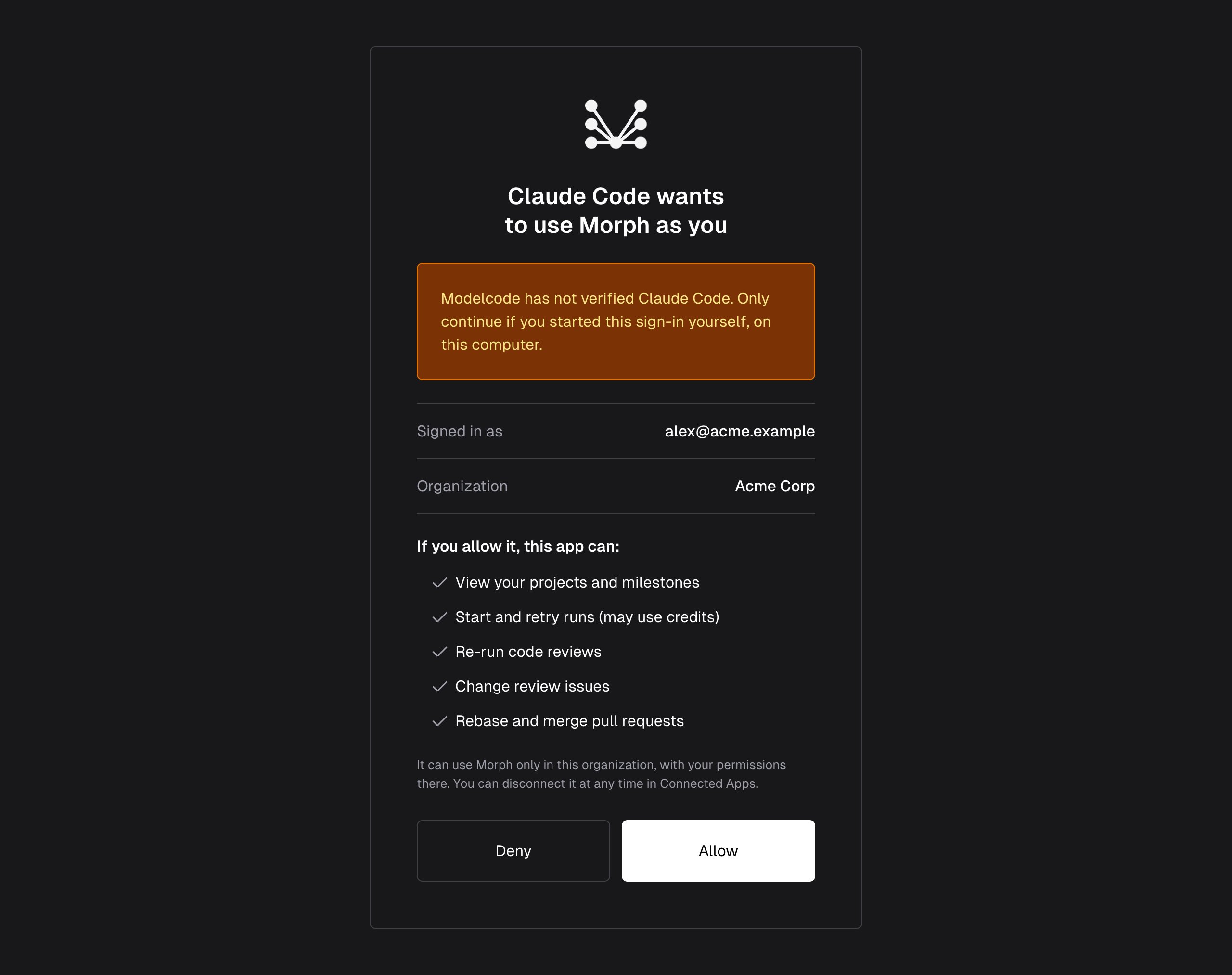
How long a sign-in lasts
Claude Code stays signed in until one of these happens:- You sign out, or the sign-in is revoked in Connected Apps.
- You don’t use it for 30 days.
- 90 days pass since you signed in.
- Your Morph account or your organization stops being active.
Sign out
Run/mcp, pick morph, and choose Clear authentication. From a terminal: claude mcp logout plugin:morph:morph. This ends the sign-in in the Morph Platform too.
Manage your sign-ins
Every sign-in shows in Connected Apps. To open it, click your name at the top right of the Morph UI, then choose Connected Apps.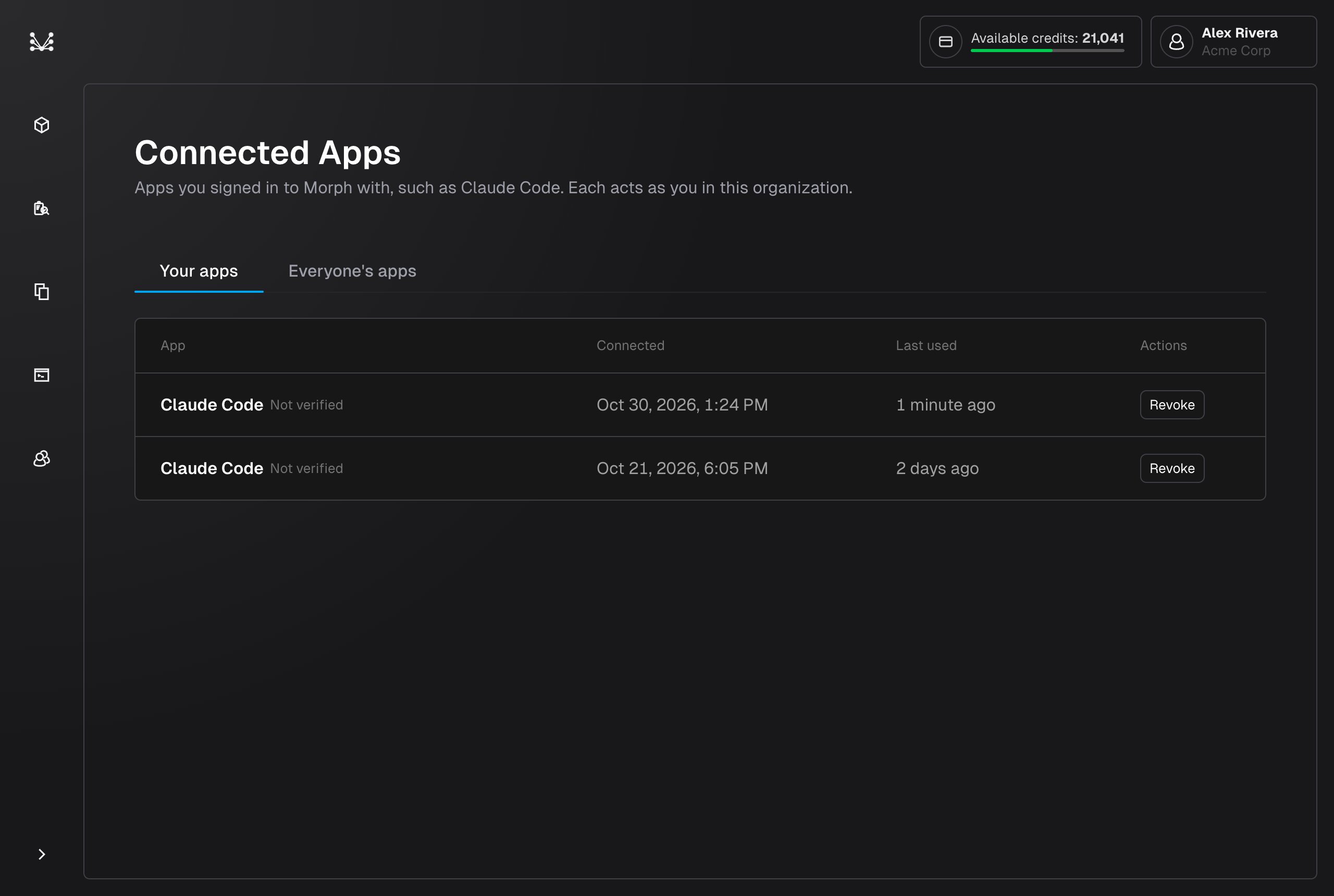
Troubleshooting
/mcpsays morph “needs authentication”, or a call says your sign-in “was revoked or has expired”. You aren’t signed in, or your sign-in ended. Sign in again:/mcp→ morph → Authenticate (or Re-authenticate)./mcpsays morph failed to connect. Check the Morph URL:/plugin→ morph → Configure options. It ishttps://morph.modelcode.aiunless Modelcode gave you another address. After changing it, run/reload-pluginsand sign in again: a sign-in works only for the address it was made on.- Morph refused the sign-in. The page says why. Usually your Morph account isn’t active, or your organization’s subscription is paused. Ask an admin of your organization.
- “Morph can’t confirm your Claude Code sign-in right now”. Morph couldn’t check your sign-in before a start, retry, review re-run, rebase or merge. Try again in a minute.
- “Project N not found”. The project isn’t in your organization. Ask Claude Code “What are my Morph projects?” to see the ones you can open.
- “You don’t have the … permission”. Your role in the Morph Platform doesn’t allow that action. Ask an admin of your organization.