

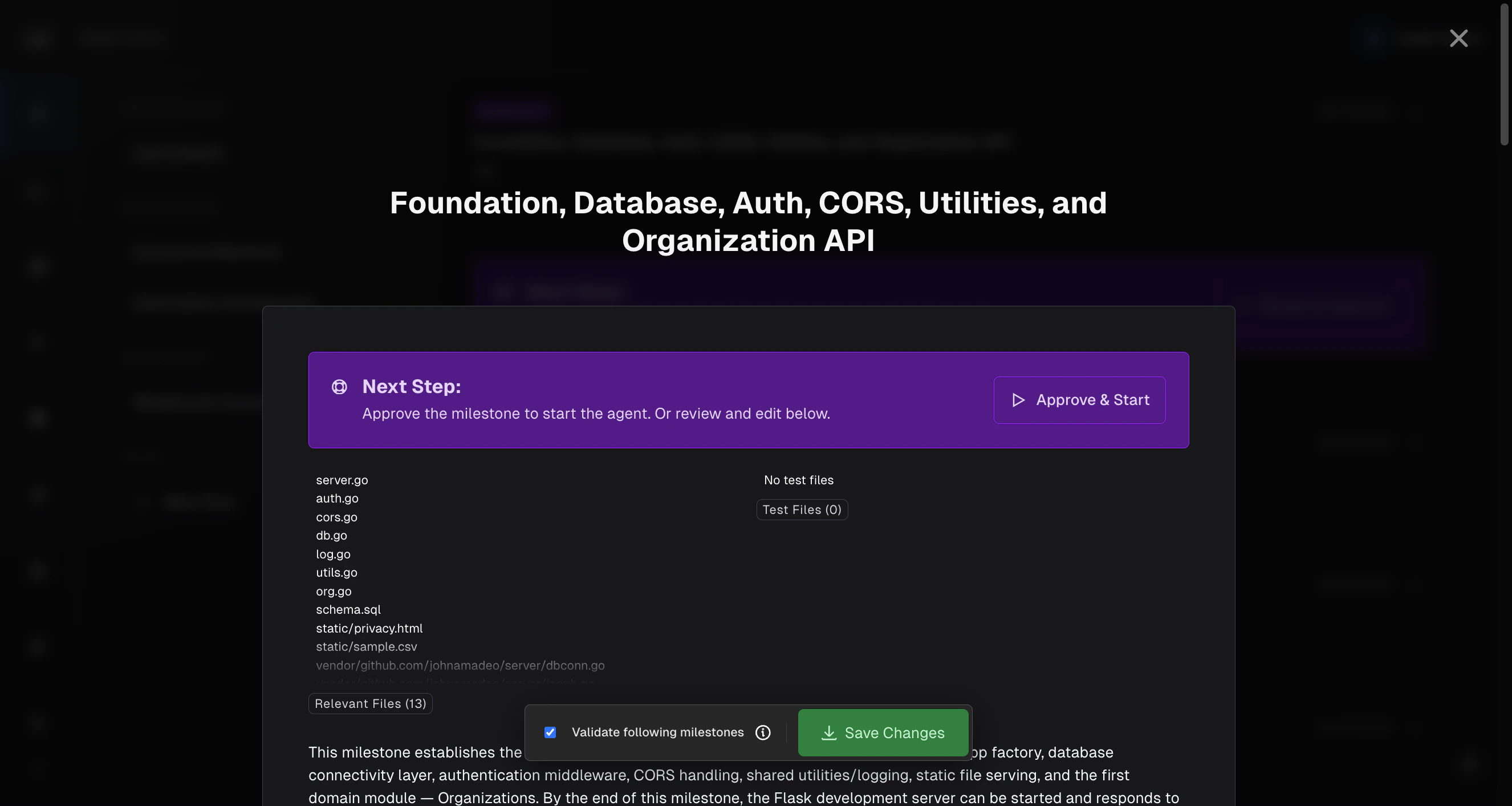
Once you’ve reviewed and approved a milestone, click Approve & Start to kick off the agent. It initializes a sandbox, plans the tasks, and begins executing. You don’t need to do anything else.Documentation Index
Fetch the complete documentation index at: https://docs.modelcode.ai/llms.txt
Use this file to discover all available pages before exploring further.
Milestones & Tasks
How to review and approve milestones before starting
How the Agent Works
The milestone agent runs through a series of stages:- Initialization: Sets up the sandbox environment
- Analysis: Examines the source project files
- Planning: Breaks the milestone into individual tasks, determines dependencies and execution order
- Implementation: Executes each task in sequence, writing and committing code after each one
- Verification: Builds the project and runs tests
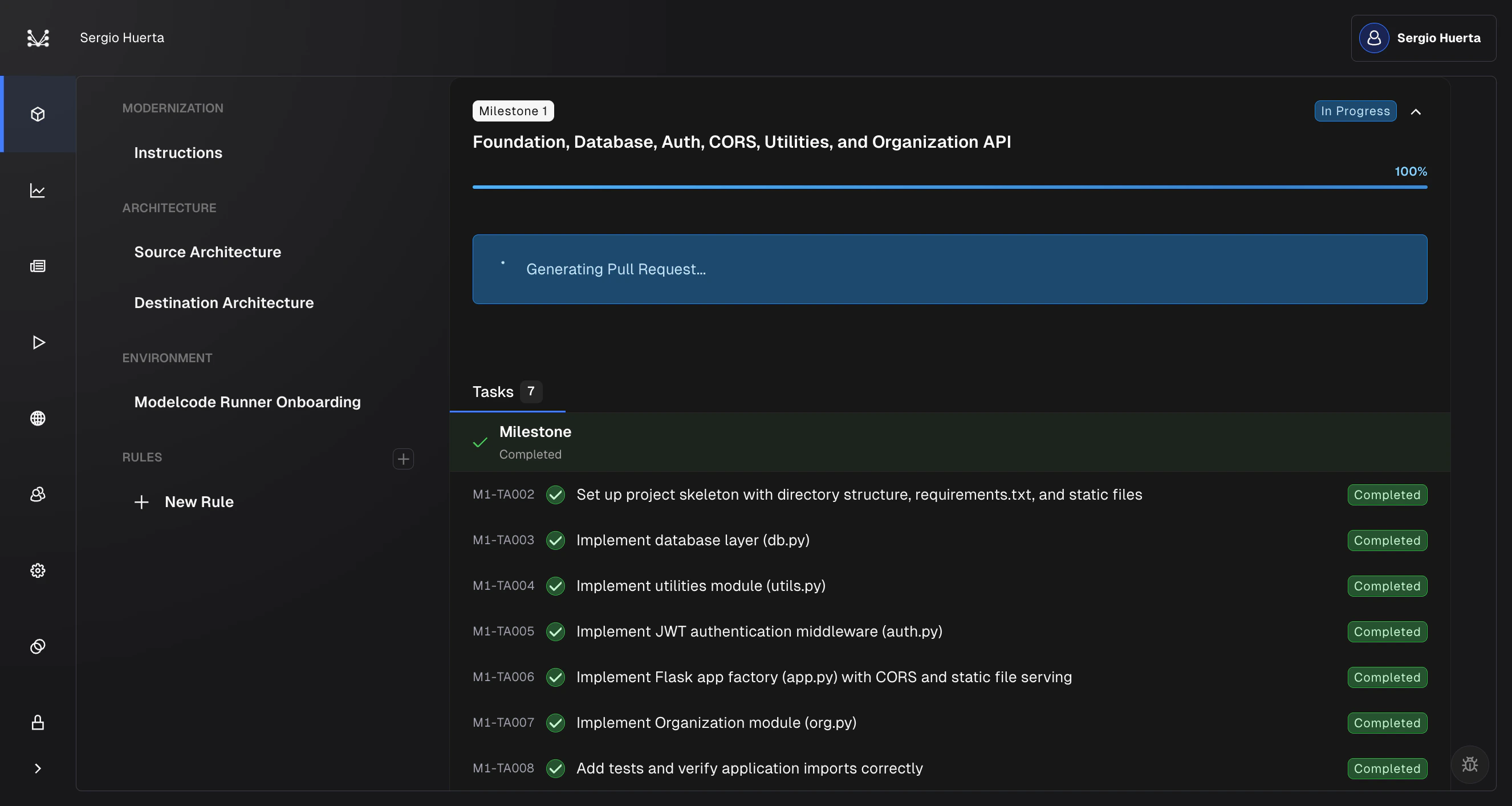
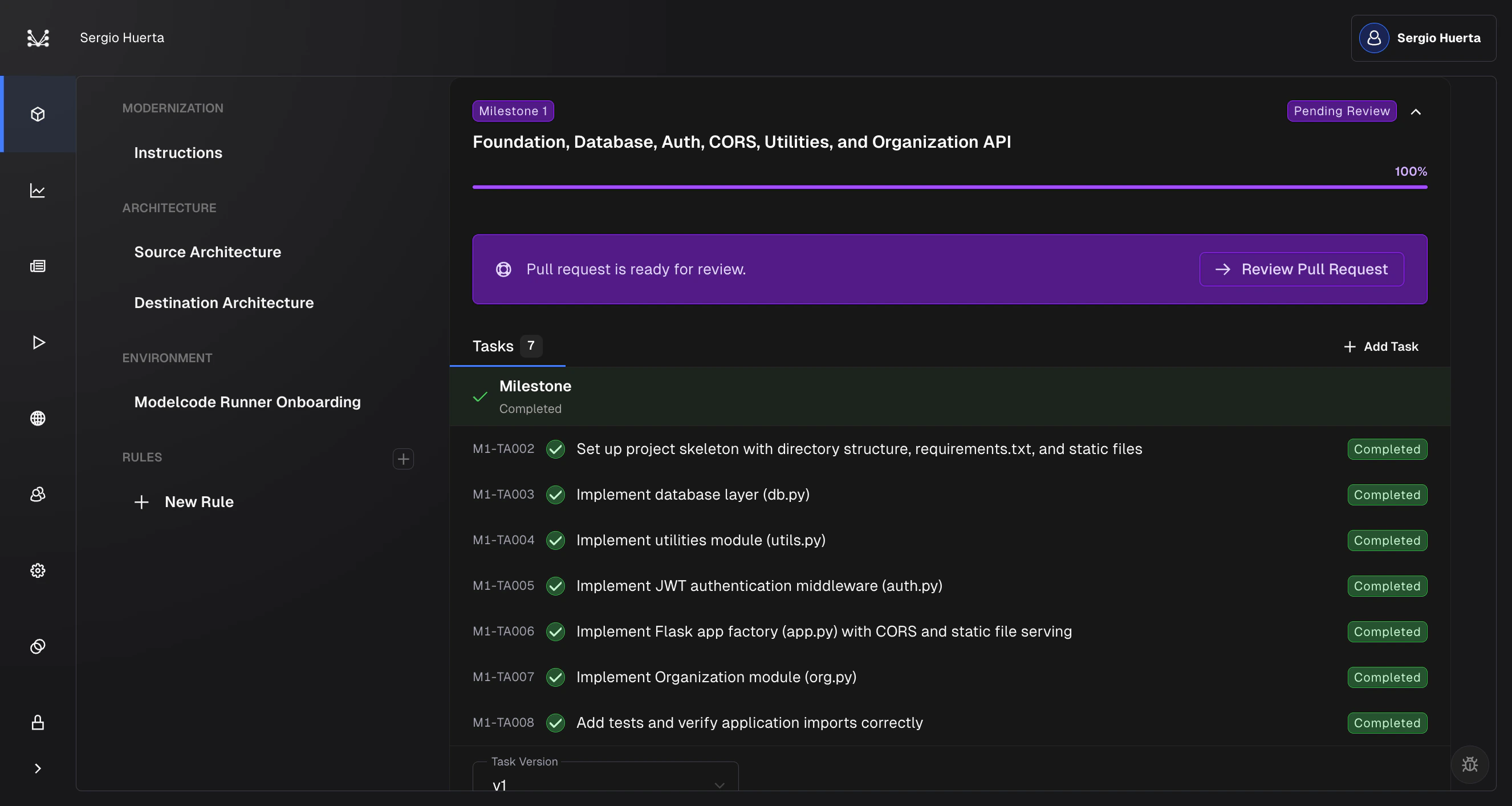
- PR Creation: Generates a pull request with all the changes
Watching Tasks Execute
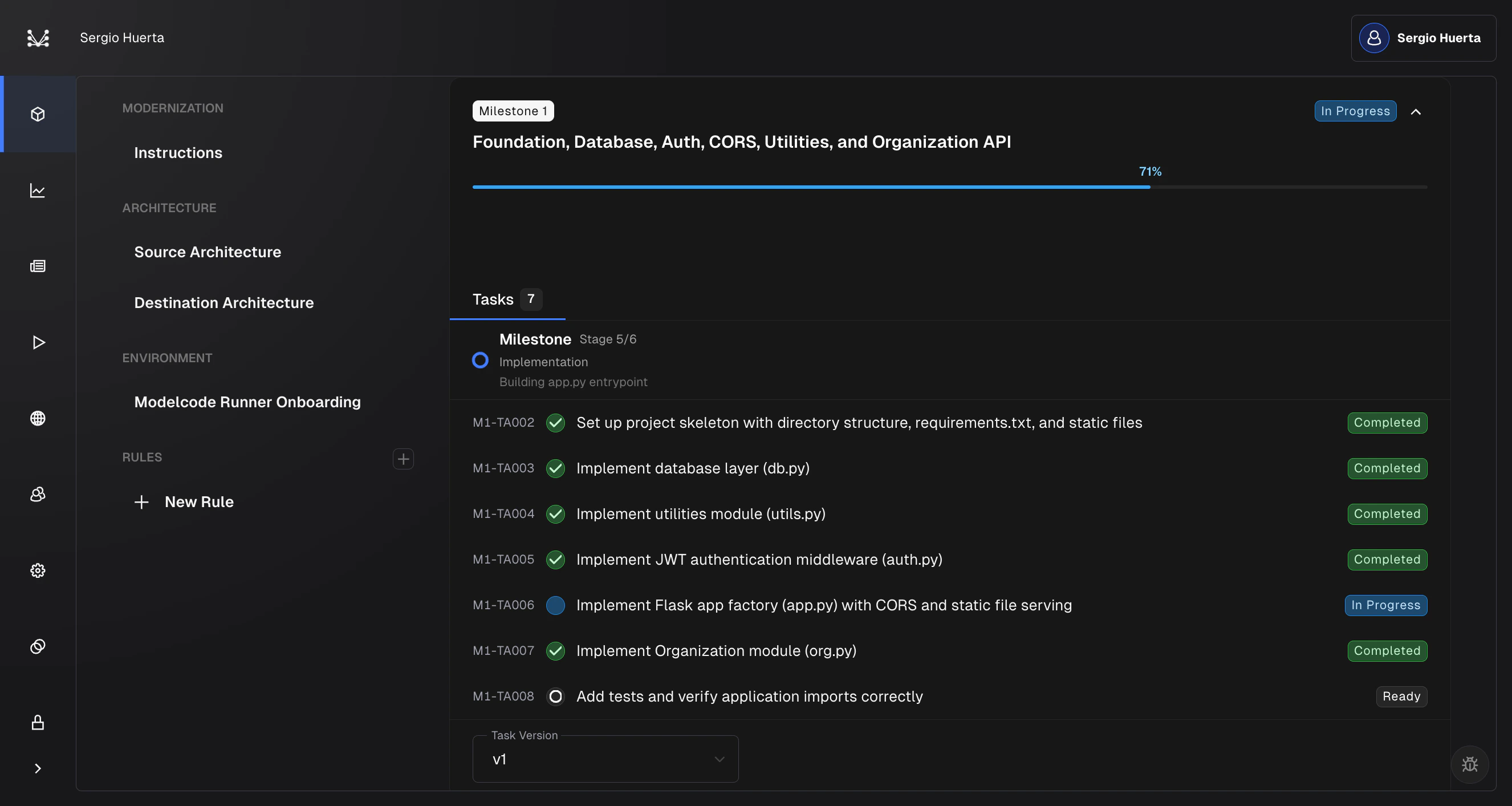
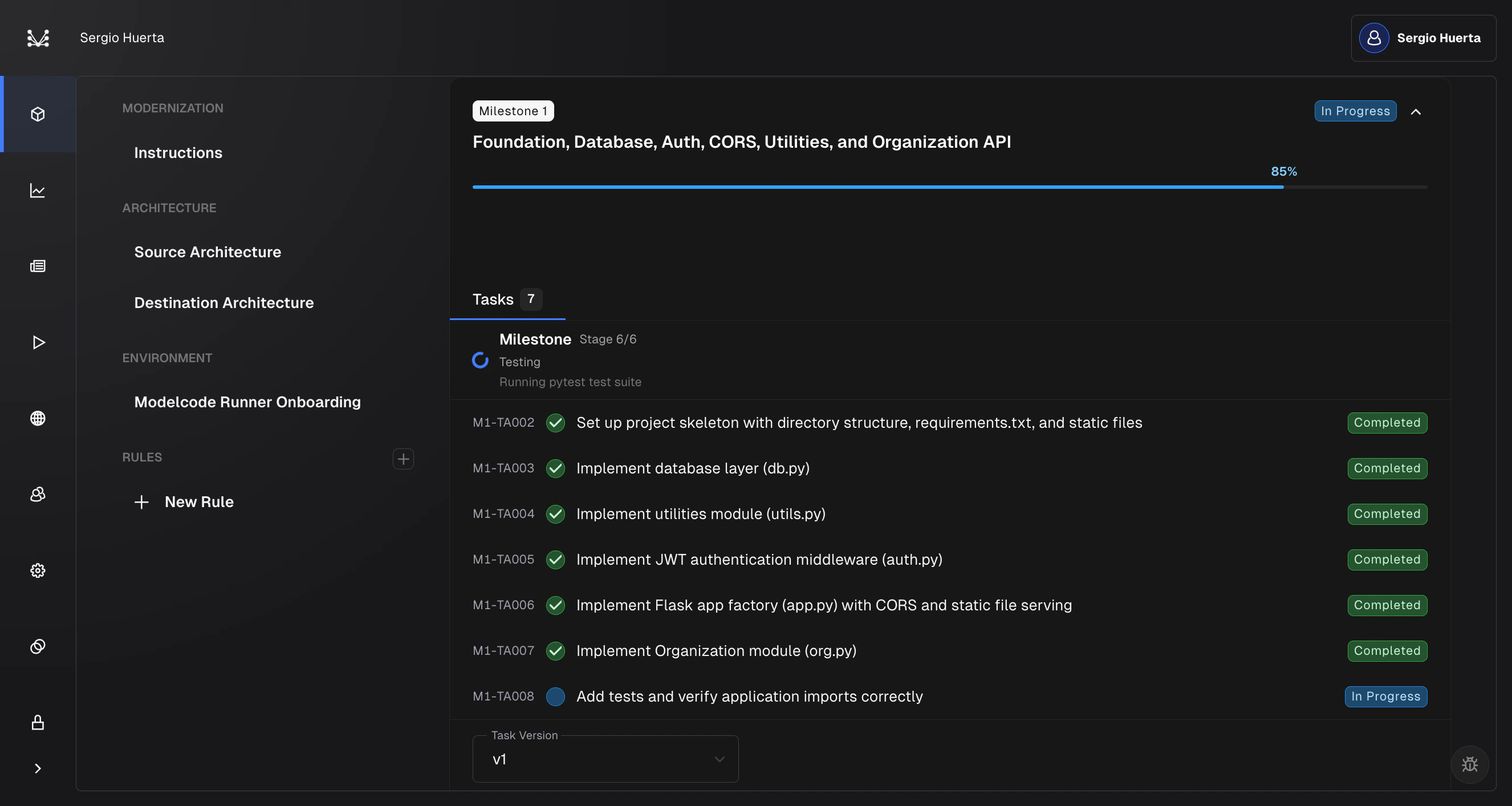
Once planning finishes, a Tasks tab appears showing the task count (e.g., “Tasks 7”). Each task is listed with a Task ID, title, and status badge (Ready, In Progress, Completed, or Failed).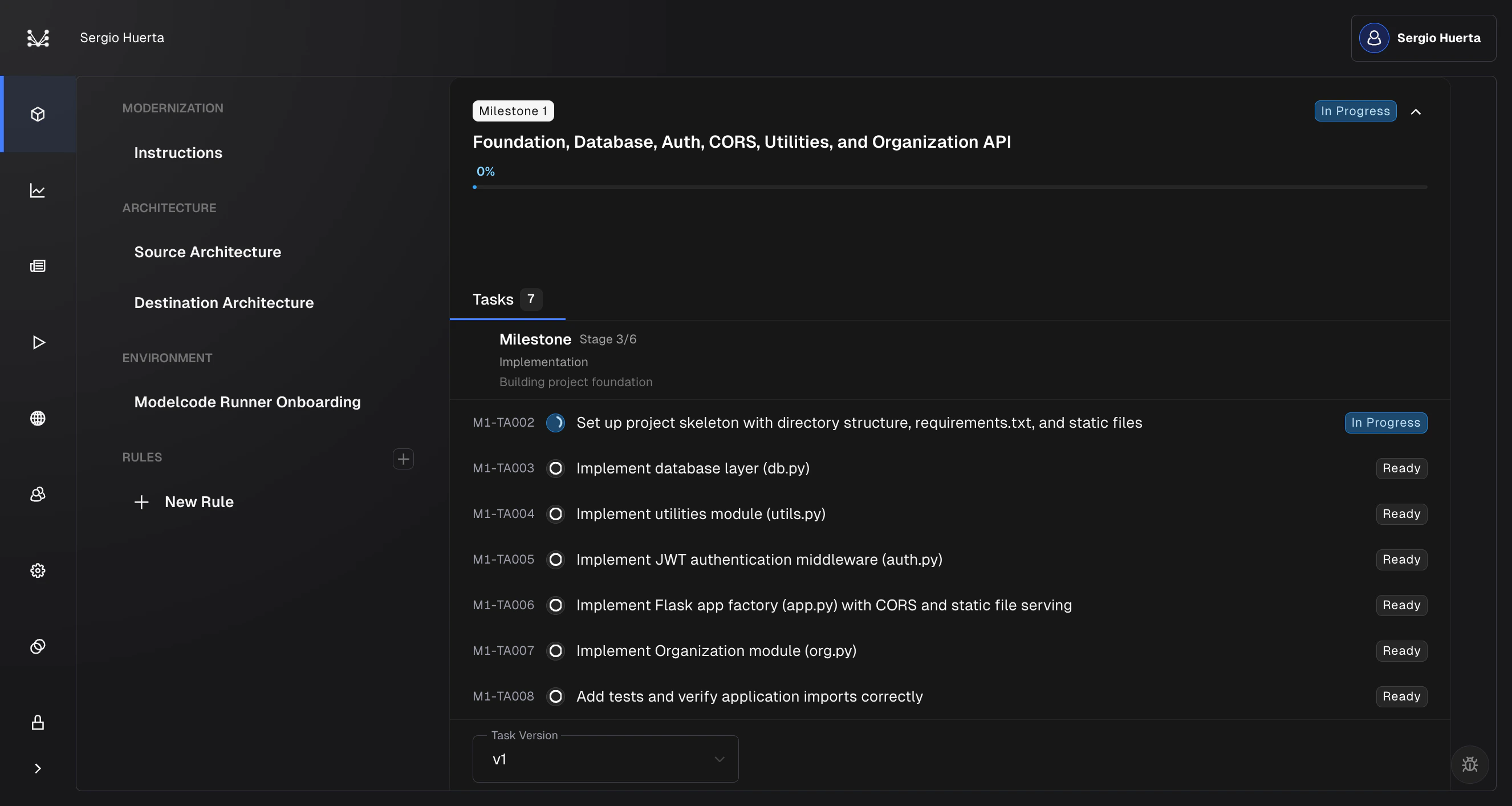
Reviewing Pull Requests
How to review and merge the generated PR
If Tasks Fail
If one or more tasks fail, the milestone shows a Pending Review (Fail) status. A PR is still created with whatever succeeded. To retry:- Expand the milestone
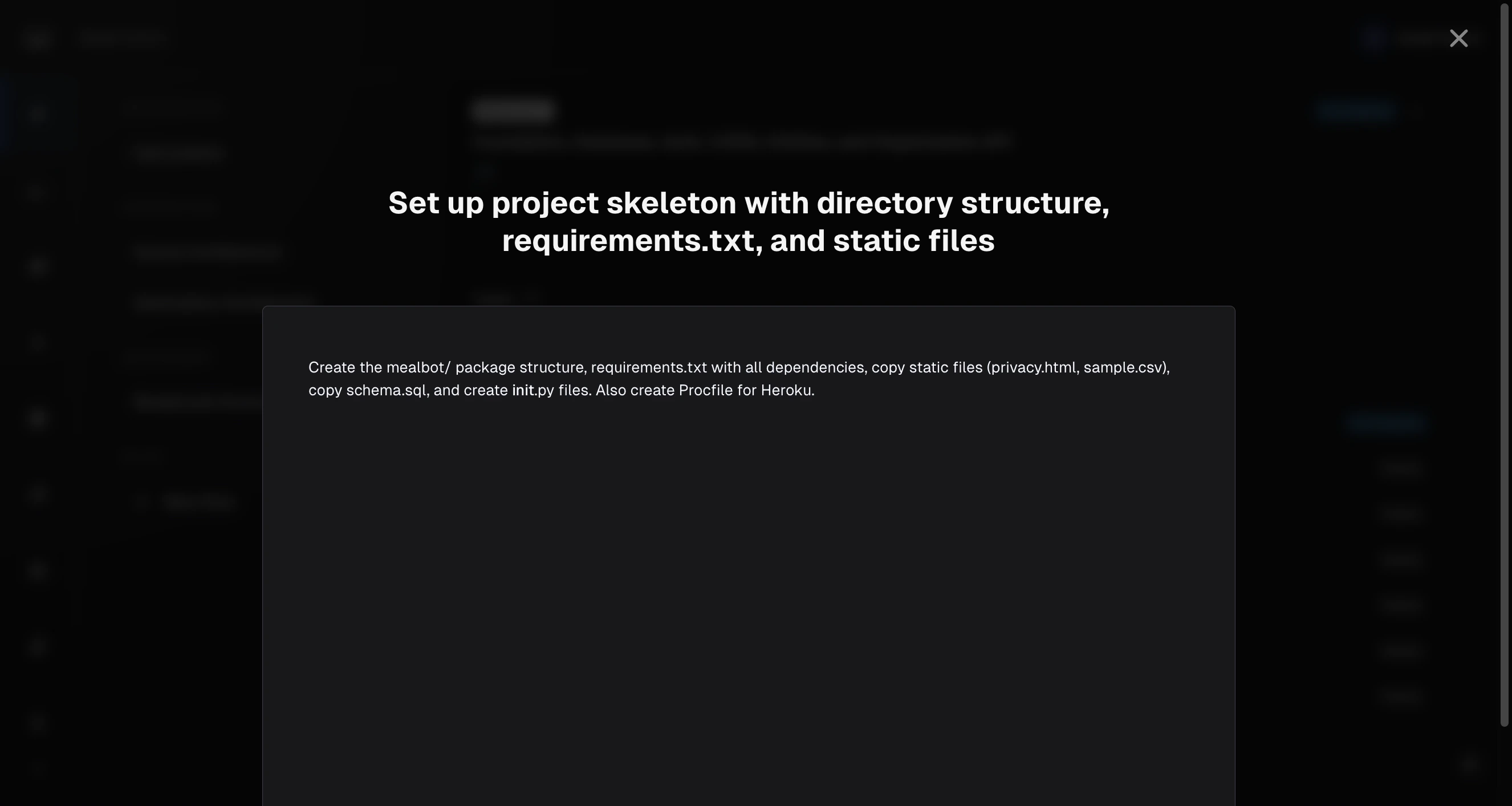
- Click on the failed task to open its drawer
- Click Retry Execute
Note: If you don’t see “Retry Execute,” your account may not have the required permissions. In that case, you’ll see a Contact Us link instead.If tasks succeeded but PR creation failed, click Retry PR on the milestone to regenerate the pull request without re-running tasks.
Outputs & Debugging
How to review outputs, read transcripts, and debug failures
Adhoc Tasks
Sometimes you need the agent to do something that isn’t part of the original plan. Adhoc tasks let you add custom work to any milestone: fixing something you spotted during PR review, adding a missing utility, or adjusting generated code.When to Use Adhoc Tasks
- During PR review: You notice a missing edge case or a file that needs adjustment
- After a milestone completes: Something was missed that should be part of this milestone
- One-off fixes: Small, targeted changes that don’t warrant a full re-plan
Creating an Adhoc Task
- Open the milestone and click + Add Task in the Tasks tab (visible once the milestone has tasks)
-
A drawer opens with two fields:
- Title: A short name for the task (required)
- Description: A markdown editor pre-populated with a template
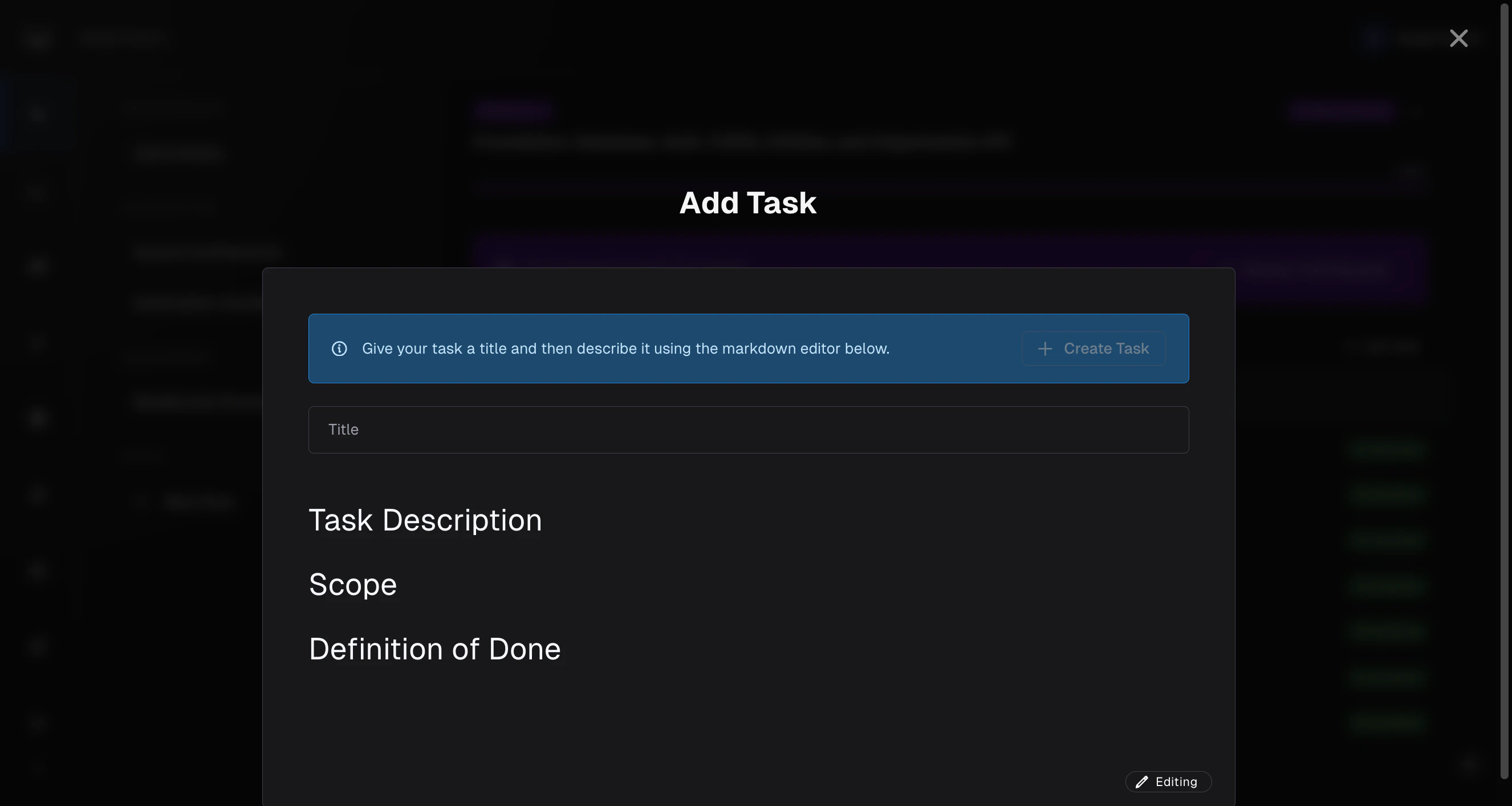
- Fill in the description. Be specific: tell the agent exactly what to change, where, and what “done” looks like. Here’s an example of a well-written adhoc task:
- Click Create Task
Reviewing Before Execution
After creating the task, Morph reviews it for conflicts with the existing plan:- Click Review. Morph checks your task against the milestone context
- If there are recommendations, they appear in the editor. Review and adjust as needed.
- If everything looks good, click Execute Task
Progress Monitoring
While tasks are running, Morph shows real-time progress at multiple levels. The page updates automatically, so you can just leave it open and watch.Milestone-Level Progress
The milestone card on the roadmap shows:- Progress bar: Fills as tasks complete, with a percentage (e.g., 71%)
- Status badge: Updates as the milestone moves through its lifecycle (Not Started, In Progress, Pending Review, Merged)
Task-Level Progress
The Tasks tab shows a live view of all tasks in the milestone. Each task shows its current status badge (Ready, In Progress, Completed, or Failed), updating in real time as the agent works through them.Tips
- You don’t need to watch. The agent runs autonomously. You can navigate away and come back later. Progress is saved.
Related Docs
Outputs & Debugging
How to review outputs, read transcripts, and debug failures
Milestones & Tasks
The milestone lifecycle and task types
Reviewing Pull Requests
How to review and merge the generated PR
Creating Rules
Encode preferences for better results