> ## Documentation Index
> Fetch the complete documentation index at: https://docs.modelcode.ai/llms.txt
> Use this file to discover all available pages before exploring further.
# Code Review Chat
> Interactively triage milestone review issues, chat with Morph, and re-run reviews
export const ProductName = "The Morph Platform";
export const productName = "the Morph Platform";
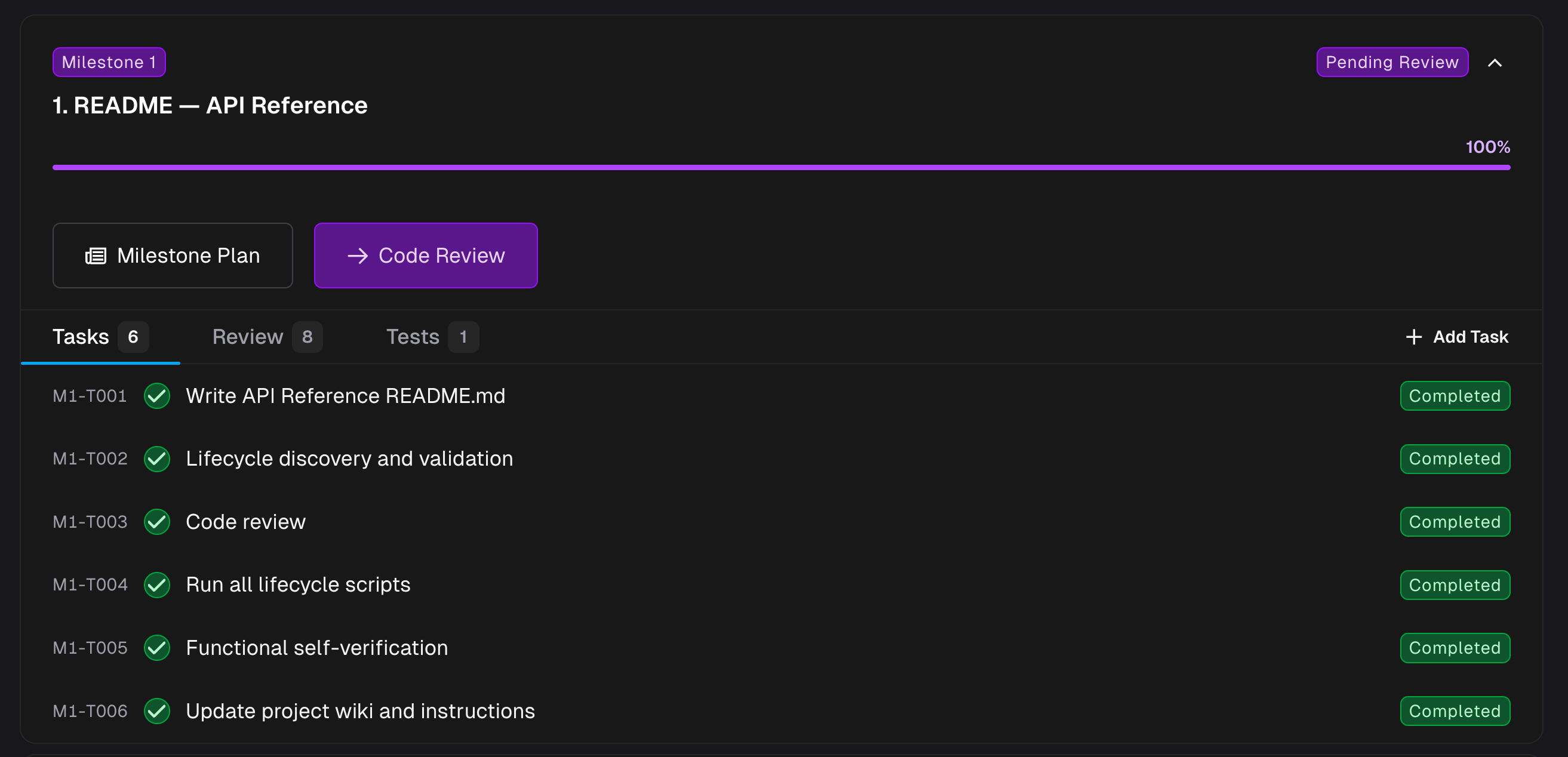
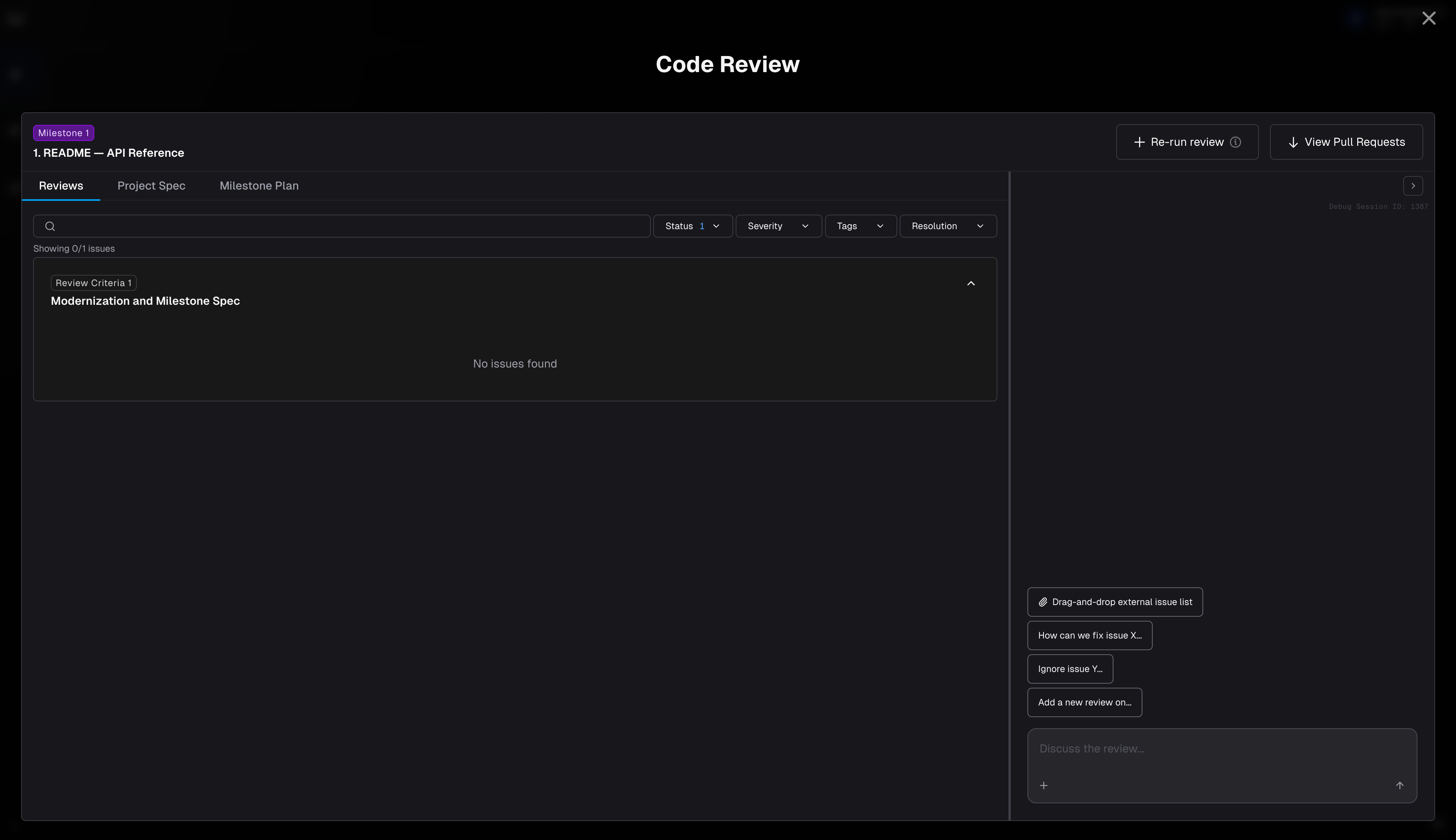 **Code Review** is where users can review the work {productName} has done on a milestone. You open it from the **Roadmap**: once a milestone is complete, click **Code Review** to open this drawer.
 ## What's Inside
* **Interactive hub for milestone review issues.** Every review issue surfaced for the milestone lives in **Code Review**, with filters for status, severity, tags, and resolution.
* **Chat with Morph to take action.** Ask Morph to resolve open issues, create new ones, re-run the review, or add your own review criteria — all from the chat panel on the right.
* **One view across every repo in the milestone.** The **Code Review** drawer combines issues across all repositories in the milestone. When you want to inspect the underlying diff, use **View Pull Requests** to open the individual PRs externally.
## Common Actions
* **Resolve an open issue** — ask Morph to fix it, or mark it resolved after a manual change.
* **Create a new issue** — flag something the review missed. You can even drag-and-drop external documents to import issues in bulk.
* **Re-run the review** — use the **Re-run review** button after code changes or new criteria.
***
## Collaboration
Multiple team members can review the same milestone simultaneously. Each reviewer gets their own independent **review chat session**, so conversations and issue triaging don't collide.
### How it works
* When you open **Code Review** for a milestone, {productName} creates (or resumes) a review session scoped to your user. Your teammate opening the same milestone gets their own session.
* Each session has its own chat history, issue resolutions, and context. You can work through different issues at your own pace without blocking each other.
* **Proactive peer sync:** When one reviewer resolves an issue or the agent applies a fix, {productName} propagates the change to other active reviewers' workspaces so everyone sees the latest code state.
### Session locking
Only one user can actively chat with {productName} on a given milestone at a time. If a teammate is currently in an active chat session, you'll see a message indicating who is using it. Once they finish (or their session times out after inactivity), the session unlocks and you can start yours.
## What's Inside
* **Interactive hub for milestone review issues.** Every review issue surfaced for the milestone lives in **Code Review**, with filters for status, severity, tags, and resolution.
* **Chat with Morph to take action.** Ask Morph to resolve open issues, create new ones, re-run the review, or add your own review criteria — all from the chat panel on the right.
* **One view across every repo in the milestone.** The **Code Review** drawer combines issues across all repositories in the milestone. When you want to inspect the underlying diff, use **View Pull Requests** to open the individual PRs externally.
## Common Actions
* **Resolve an open issue** — ask Morph to fix it, or mark it resolved after a manual change.
* **Create a new issue** — flag something the review missed. You can even drag-and-drop external documents to import issues in bulk.
* **Re-run the review** — use the **Re-run review** button after code changes or new criteria.
***
## Collaboration
Multiple team members can review the same milestone simultaneously. Each reviewer gets their own independent **review chat session**, so conversations and issue triaging don't collide.
### How it works
* When you open **Code Review** for a milestone, {productName} creates (or resumes) a review session scoped to your user. Your teammate opening the same milestone gets their own session.
* Each session has its own chat history, issue resolutions, and context. You can work through different issues at your own pace without blocking each other.
* **Proactive peer sync:** When one reviewer resolves an issue or the agent applies a fix, {productName} propagates the change to other active reviewers' workspaces so everyone sees the latest code state.
### Session locking
Only one user can actively chat with {productName} on a given milestone at a time. If a teammate is currently in an active chat session, you'll see a message indicating who is using it. Once they finish (or their session times out after inactivity), the session unlocks and you can start yours.
 This ensures the agent isn't receiving conflicting instructions from multiple users simultaneously while still allowing parallel *review* of issues and code.
Coordinate with your team on who is triaging which issues. Each reviewer can focus on different parts of the milestone — one person on backend logic, another on test coverage — and {productName} keeps the workspace in sync.
***
## Starting Over
Use **New chat** (or **Start over**) in the chat panel to reset your review session. This clears the current chat history and creates a fresh session — useful when you want to re-approach the review from scratch or after significant code changes. The review issues themselves are not deleted; only the chat conversation resets.
***
## Pool Capacity
Code Review chat is **exempt** from the [daemon pool](/setup/build-environment/self-hosted-daemon#pool-capacity) execution capacity gate. You can open a review chat session even when all workers in the pool are busy with milestone or ad-hoc executions.
However, actions that trigger non-chat work — such as **Re-run review** or approving a milestone from within the review — are still subject to pool capacity. If all workers are busy, those actions are blocked until a worker frees up.
***
## Final Code Delivery
When all milestones in a project are complete, {productName} surfaces a **Final Code Delivery** review. This is a separate review surface that works on the **project feature branch** rather than an individual milestone branch. All milestone work is bundled into one pull request per repository, and any change you make in this chat shows up in those PRs right away.
**What you can do in Final Code Delivery:**
* Get a walkthrough of what changed across the whole modernization
* Request a last-mile change (for example, updating the README to match the new build command)
* Ask why a service still calls a legacy endpoint
* Drag and drop a list of issues to be fixed
Use this chat for small, last-mile fixes. Larger refactors should go through an [ad-hoc milestone](/migration/adhoc-tasks) so they get a proper plan, validation, and review.
**Merging:** Final Code Delivery PRs must be merged on the **external PR page** (GitHub, GitLab, or Azure DevOps) — there is no in-app merge for final delivery.
***
## Rebase After Sibling Merge
If you open Code Review for a milestone and see a **Rebase Required** state, a sibling milestone was merged and this milestone's branch needs to incorporate those changes before it can proceed. See [Milestone Shows "Rebase Required"](/support/troubleshooting#milestone-shows-rebase-required) for resolution steps.
This ensures the agent isn't receiving conflicting instructions from multiple users simultaneously while still allowing parallel *review* of issues and code.
Coordinate with your team on who is triaging which issues. Each reviewer can focus on different parts of the milestone — one person on backend logic, another on test coverage — and {productName} keeps the workspace in sync.
***
## Starting Over
Use **New chat** (or **Start over**) in the chat panel to reset your review session. This clears the current chat history and creates a fresh session — useful when you want to re-approach the review from scratch or after significant code changes. The review issues themselves are not deleted; only the chat conversation resets.
***
## Pool Capacity
Code Review chat is **exempt** from the [daemon pool](/setup/build-environment/self-hosted-daemon#pool-capacity) execution capacity gate. You can open a review chat session even when all workers in the pool are busy with milestone or ad-hoc executions.
However, actions that trigger non-chat work — such as **Re-run review** or approving a milestone from within the review — are still subject to pool capacity. If all workers are busy, those actions are blocked until a worker frees up.
***
## Final Code Delivery
When all milestones in a project are complete, {productName} surfaces a **Final Code Delivery** review. This is a separate review surface that works on the **project feature branch** rather than an individual milestone branch. All milestone work is bundled into one pull request per repository, and any change you make in this chat shows up in those PRs right away.
**What you can do in Final Code Delivery:**
* Get a walkthrough of what changed across the whole modernization
* Request a last-mile change (for example, updating the README to match the new build command)
* Ask why a service still calls a legacy endpoint
* Drag and drop a list of issues to be fixed
Use this chat for small, last-mile fixes. Larger refactors should go through an [ad-hoc milestone](/migration/adhoc-tasks) so they get a proper plan, validation, and review.
**Merging:** Final Code Delivery PRs must be merged on the **external PR page** (GitHub, GitLab, or Azure DevOps) — there is no in-app merge for final delivery.
***
## Rebase After Sibling Merge
If you open Code Review for a milestone and see a **Rebase Required** state, a sibling milestone was merged and this milestone's branch needs to incorporate those changes before it can proceed. See [Milestone Shows "Rebase Required"](/support/troubleshooting#milestone-shows-rebase-required) for resolution steps.